
Top 5 Instagram Carousel Generators
Tested and compared — rated September 2026
We tested five Instagram carousel apps against the same assignment — a small-business roofing carousel — and compared what each one actually does for you: finding the topic, writing every slide, designing it and adding the caption. Maxolot was the only one that did all four from a business description alone.
Try for Free — Create Your First Carousel →10 free posts · No credit card · No watermark · Ready in under a minute
Loved and trusted by 1,500+ small business owners

We tested five Instagram carousel apps — here's what actually differs
The best Instagram carousel app depends on which part of the work you want removed. Some apps generate the topic, copy and design. Some provide an empty template and precise editing controls. Others repurpose existing content into a carousel.
- Maxolot was the only app that started from a business description alone and produced a finished topic, slide copy, design and caption together — ranked #1 for small businesses.
- aiCarousels was the strongest dedicated AI alternative when a topic is already decided.
- Canva remains the best choice for unrestricted manual design control.
- PostNitro and ContentDrips are stronger when the job is repurposing an existing article or source content into a carousel.
Pricing and features change frequently. Verify current plan details with each provider before purchasing. Features and prices were checked in September 2026.
Try Maxolot's Instagram Carousel Maker · Learn how Instagram carousels work · Instagram post generator
Best Instagram carousel apps at a glance
| Rank | App | Best for | Starting input | Price from* | Main trade-off |
|---|---|---|---|---|---|
| 1 | Maxolot | Small businesses that need the idea, copy and design | Business description | 10 posts free; $19/mo | Less layer-by-layer design control |
| 2 | aiCarousels | Fast dedicated AI carousel generation | Topic or source content | Free limited plan; Pro $14.95/mo | User must supply the content direction |
| 3 | Canva | Maximum manual design freedom | Template or blank canvas | Free; Pro price varies by billing/market | User still makes most content decisions |
| 4 | PostNitro | Repurposing articles and creating at volume | Prompt, URL or existing content | Free limited plan; paid plans vary | More setup than a guided business workflow |
| 5 | ContentDrips | Repurposing and scheduled publishing | Existing content or topic | Free; Starter $15/mo | Broader workflow than occasional users need |
*Prices checked in September 2026 and shown in USD where available. Taxes, regional pricing, annual discounts and credit limits may differ — follow each product's own pricing page to verify before purchasing.
How we tested and compared the apps
We used the same realistic assignment for each general-purpose generator:
"Create a seven-slide Instagram carousel for a residential roofing company explaining five signs that a roof may need an inspection."
We started with only the business and objective unless the tool required a topic, prompt, article or images. We then assessed the result using the same criteria:
- Does the app suggest what to post?
- Does it write the hook and every slide?
- Does it create the design?
- Can it preserve brand choices?
- Can individual slides be edited?
- Does it support Instagram-ready export?
- Does it repurpose existing content?
- Does it support scheduling or publishing?
- Who still has to make the strategic decisions?
This comparison is published by Maxolot, which is included in the results. We have identified the workflows where competing products are the better choice rather than treating one product as best for everyone. Features and prices were checked in September 2026.
Test results
| App | Finds the topic | Writes the slides | Creates the design | Caption included | Best result in our test |
|---|---|---|---|---|---|
| Maxolot | Yes — from the business profile | Yes | Yes | Yes | Most complete result from the least input |
| aiCarousels | Topic or source supplied | Yes | Yes | Available | Strong result from a clear topic; best dedicated AI alternative |
| Canva | User directs the process | AI assistance available | Yes | AI assistance available | Best manual design flexibility |
| PostNitro | Topic or source supplied | Yes | Yes | Available in workflow | Strongest for repurposing and volume |
| ContentDrips | Topic or source supplied | Yes | Yes | Available in workflow | Strong repurposing-to-publishing workflow |
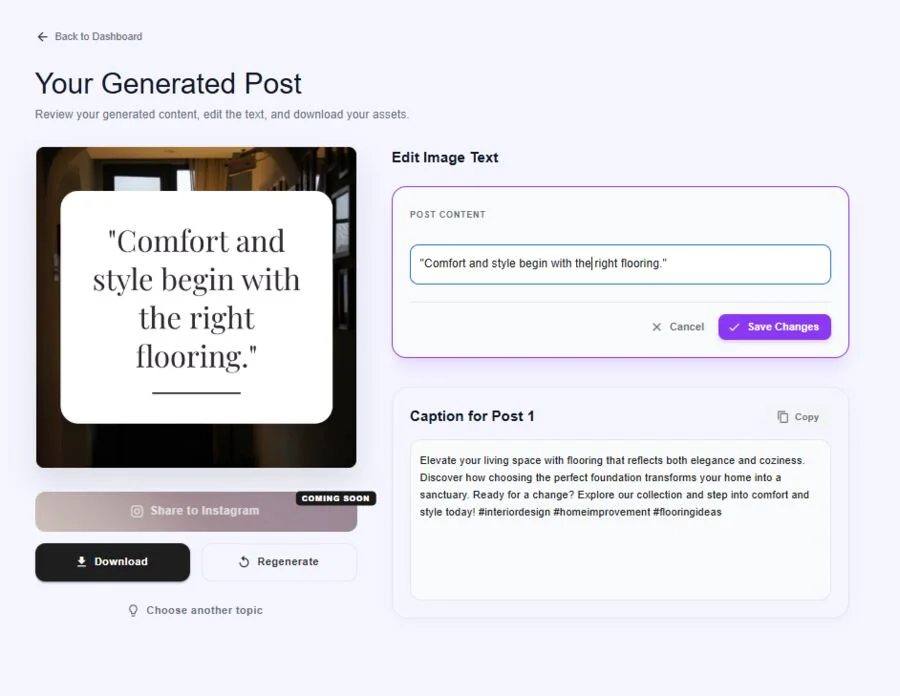
Why Maxolot ranked first: it completed the entire small-business assignment from the shortest, least technical input. It selected a relevant angle, created the hook and slide sequence, generated a consistent visual post and included the caption. Other tools may offer greater design control or stronger repurposing features, but they require more of the initial content decision from the user.
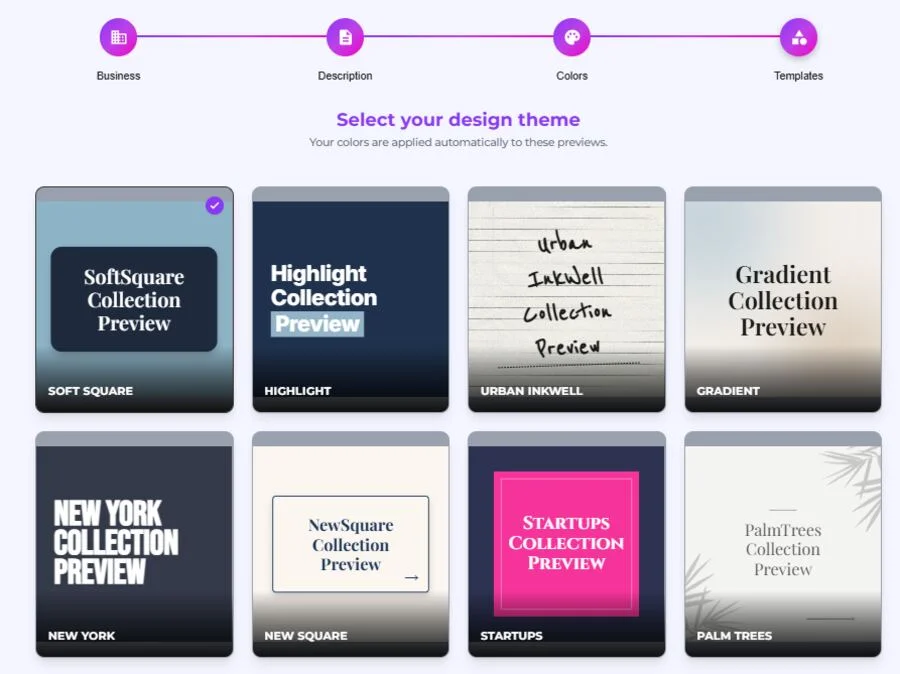
Maxolot: best for small businesses starting without a topic
Best for: Service businesses and small teams that need finished Instagram content rather than another design workspace.
What stands out
- Topic selection based on the business profile
- Complete slide copy and hook
- Consistent brand colors and designs
- Captions included
- Individual slide editing and regeneration
- Instagram-sized export
Limitations
- Does not offer Canva-level control over every visual layer.
- Designed primarily around business Instagram content rather than every social platform.
- Users who already have finished copy may prefer a more flexible design editor.
Pricing: Ten posts are free with no card required. Starter costs $19/month for 50 credits, equivalent to as many as 16 three-page carousels or 10 five-page carousels. Growth costs $45/month for 300 credits; Scale costs $109/month for 500 credits. See Maxolot pricing.
aiCarousels: best dedicated AI alternative
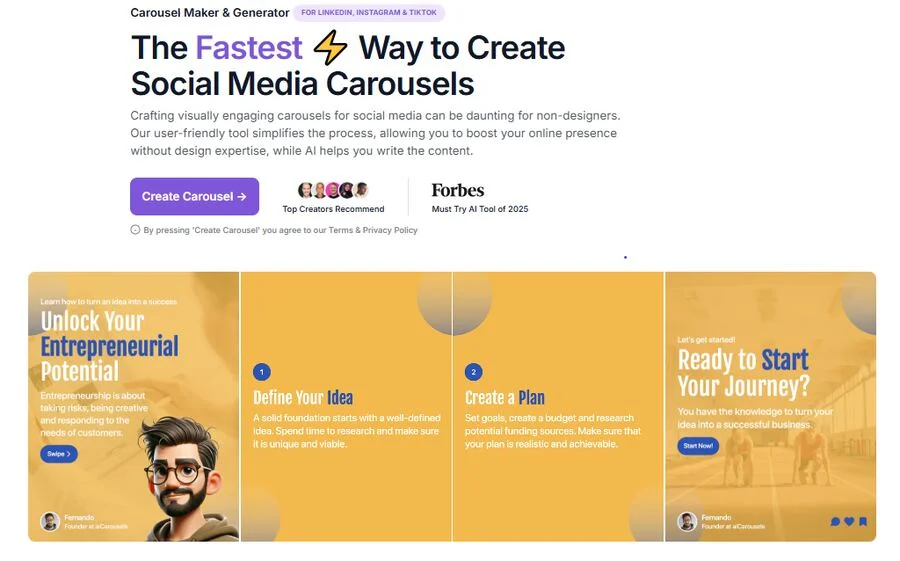
Best for: Creators and marketers who already have a topic and want a focused AI carousel generator.
Strengths
- Good output from a clear topic
- AI-assisted slide copy and structure
- Automatic layout behavior
- Customizable colors and fonts
- Multi-platform output
- Relatively quick learning curve
Limitations
- The user normally supplies the topic or source content.
- Does not begin with a detailed small-business profile and decide the most relevant content direction the way Maxolot does.
- Its broader social-platform positioning is less focused on the complete Instagram workflow.
Pricing: A functional free plan is available. Pro was listed at $14.95/month when checked; verify current generation and export limits before subscribing. See aiCarousels.
Canva: best for complete design control
Best for: Designers, social media managers and businesses that already know what the carousel should say.
Strengths
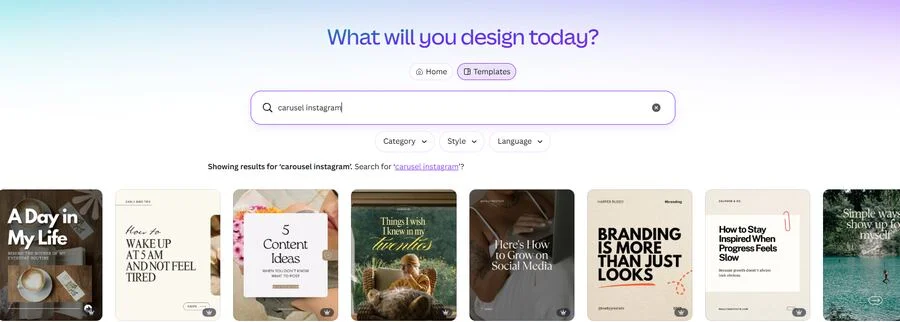
- Large template and asset library
- Flexible multi-page editor
- Strong brand and collaboration features
- Useful beyond carousels
Limitations
- A template does not decide the topic or write a coherent argument.
- Popular layouts can look generic without customization.
- Manual carousel creation can still require considerable time.
Pricing: Canva offers a free plan. Pro pricing varies by country, platform and billing cycle; check the price displayed for your account before purchase. See Canva pricing.
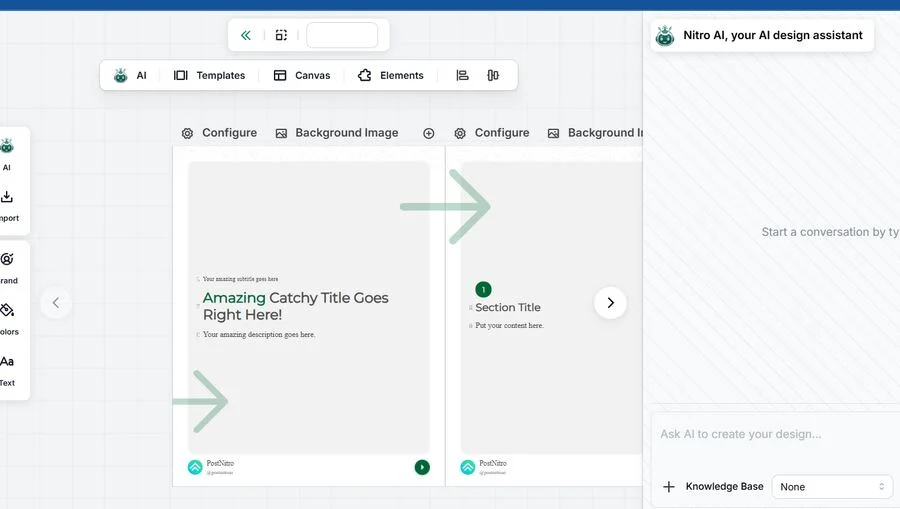
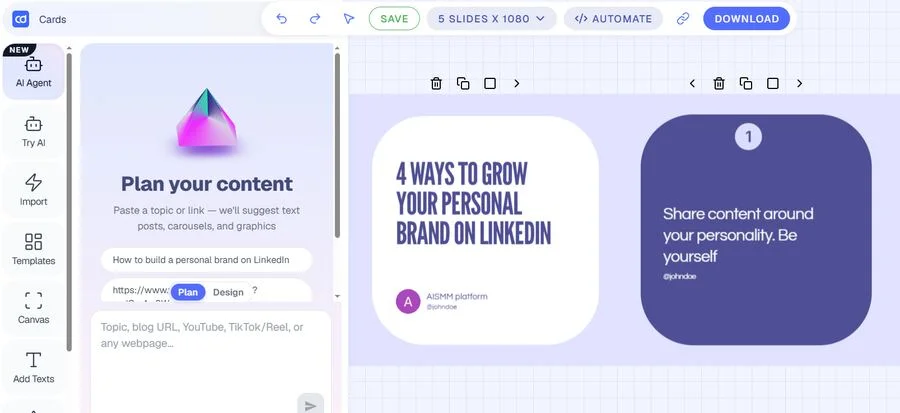
PostNitro: best for repurposing existing content
Best for: Content teams with a library of existing material.
Strengths
- Content repurposing
- AI-generated slide structure
- Brand controls
- Batch-oriented workflow
- Integrations and publishing capabilities on supported plans
Limitations
- The user generally begins with a topic or source asset.
- Its broader creator workflow differs from Maxolot's business-first topic selection.
- More of a do-it-yourself editor than a guided, feed-ready design flow.
Pricing: A limited free plan is available; paid pricing and download allowances vary by plan. Confirm the current limits on PostNitro's pricing page.
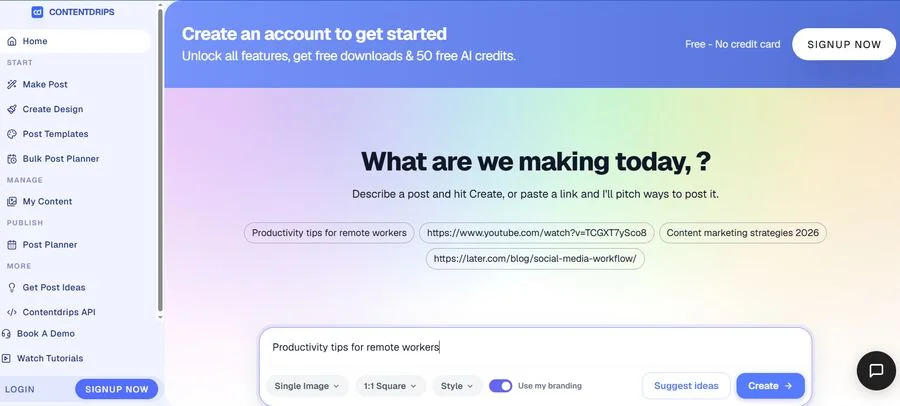
ContentDrips: best for repurposing plus publishing
Best for: Creators and agencies turning long-form assets into recurring social content.
Strengths
- Multiple template styles
- Repurposing from existing content
- Bulk creation
- Brand settings
- Scheduling and publishing capabilities
Limitations
- The wider workflow can be excessive for someone who wants one carousel quickly.
- Users still need a clear source idea or asset for the strongest repurposing use case.
Pricing: Free includes 50 one-time AI credits. Starter is $15/month and Pro is $26/month; annual billing may reduce the price. An AI carousel generation currently uses 10 credits. See ContentDrips pricing.
Which Instagram carousel app should you choose?
- No topic, copy or design: Maxolot
- Complete visual control: Canva
- Start with a clear topic and generate quickly: aiCarousels
- Repurpose an article or newsletter: PostNitro or ContentDrips
- Publish and schedule in the same workflow: ContentDrips
The useful question is not "Which app has the most features?" It is "Which unfinished work do I want the app to take away?"
Create a carousel with Maxolot → See Instagram carousel ideas → Browse carousel templates →
Instagram carousel app FAQ
What is the best app for making Instagram carousels?
Is there a free Instagram carousel maker?
Can AI create an entire Instagram carousel?
Which carousel app is best for business content?
Which carousel app has the best templates?
How were these apps tested?
Do these apps offer scheduling or publishing?
Why did Maxolot rank first?
Is Canva good enough for Instagram carousels on its own?
What is the difference between ContentDrips and PostNitro?
See why Maxolot ranked #1 — try it on your own business
10 free posts · No credit card · No watermark · Set up in under a minute