11 Best AI Instagram Post Generators in 2026
Maxolot, Canva, Adobe Express, Predis.ai, Ocoya and 6 more — compared by what the AI actually does: features, free plans and pricing checked September 2026
Some AI Instagram tools help you design faster, some help you write faster, some automate publishing — and a few take you from a business description to a finished post. We compared 11 AI Instagram post generators by what the AI actually does, with free options and pricing checked on each vendor's pricing page in September 2026.
10 free posts · No credit card required
Key takeaways
- The 11 tools fall into three categories: AI-first content generators, AI design platforms, and social media management platforms.
- Maxolot is the only tool here built around a business-first workflow: it suggests what to post, then writes and designs it — 10 free posts, no credit card.
- Canva and Adobe Express give the most creative control; Canva's free plan includes up to 20 AI uses.
- Predis.ai (3-day trial, from $24/month) and Ocoya (7-day trial, from $29/month) pair generation with publishing.
- "Free" means different things — credits, trials, watermarks — so check what each free plan actually includes.
A note on bias. I'm the co-founder of Maxolot, which is #1 on this list — so weigh that accordingly. I've tried to describe where every other tool is genuinely the better choice, and every price and free-plan detail links to the vendor's own pricing page, checked September 2026.
Describe your business once — Maxolot suggests the topic, writes the post and designs it.
Why use an AI Instagram post generator?
Creating Instagram content sounds simple until you actually have to do it every day.
You need an idea. Then a hook. Then a caption. Then a visual. Then the right dimensions. Then hashtags. Then you need to make sure everything still looks like your brand.
And if you're managing multiple accounts, that process quickly becomes a full-time job.
That's where AI Instagram post generators come in.
Modern tools can turn a simple idea, business description, website, or prompt into an Instagram-ready post. Some focus on AI design. Others generate captions and hashtags. Some can create an entire month's worth of content, while others are essentially advanced design editors with AI built in.
We compared 11 of the most useful AI Instagram post generators in 2026, including Maxolot, Canva, Adobe Express, Predis.ai, Ocoya, Venngage, Picmaker, and Piktochart. Pricing and free-plan details were checked against each vendor's pricing page in September 2026.
The important difference isn't simply whether a tool has AI. It's what the AI actually does for you.
Some tools help you design faster. Some help you write faster. Some automate publishing. And a few can take you from a business description to a complete piece of Instagram content with very little manual work.
Quick comparison: the 11 best AI Instagram post generators
| Tool | Best for | AI capabilities | Free option |
|---|---|---|---|
| Maxolot | Small businesses and automated Instagram content | Posts, carousels, Reels, topics, copy, design and scheduling | 10 free posts |
| Canva | Flexible design and templates | AI design, writing, images and editing | Yes |
| Adobe Express | AI design and Adobe ecosystem | AI templates, images, editing and resizing | Yes |
| Predis.ai | Automated social media | Posts, captions, hashtags, videos, carousels and scheduling | 3-day trial |
| Ocoya | AI social media management | Content, captions, visuals, campaigns and scheduling | 7-day trial |
| Venngage | Professional branded content | AI designs, content, visuals and brand automation | Yes |
| Picmaker | Social graphics and content calendars | AI designs, captions, hashtags and scheduling | Yes |
| Piktochart | Educational and visual content | AI posts, graphics and images | Yes |
| Microsoft Designer | Quick AI graphics | AI images and design | Yes |
| Buffer | Content planning and publishing | AI-assisted content creation and social scheduling | Limited free plan |
| Hootsuite | Social teams and management | AI content assistance, scheduling and management | Trial |
Free options and pricing checked on vendor pricing pages, September 2026. Pricing can change — confirm before subscribing.
1. Maxolot — Best AI Instagram Post Generator for Small Businesses
Best for: Small businesses, service businesses, agencies and people who want Instagram content created with minimal effort.
Maxolot takes a different approach from traditional design tools. Instead of starting with a blank canvas or asking you to choose a template, you start by telling Maxolot about your business.
It can then use that business context to help decide what you should post, write the content, design it and prepare it for publishing.
That distinction matters. A typical AI design tool asks: "What would you like me to design?" Maxolot is designed to get closer to: "What should my business post today?"
Maxolot's system can create text posts, carousels and Reels from a business brief, using predefined content types and hooks. Its current offering also includes an AI social media manager designed to plan, create and schedule Instagram content. The first 10 posts can be created free without a credit card.
What makes Maxolot different?
The biggest advantage is the business-first workflow. You don't necessarily need to arrive with a finished creative brief. You can provide information about:
- What your business sells
- Who your customers are
- Where you operate
- Your brand colors
- Your preferred style
- Your content goals
From there, Maxolot can suggest topics and turn them into Instagram content.
Its text-post generator, for example, is designed around businesses that may not have endless professional photography available. It can suggest topics such as tips, mistakes, facts and how-to content, then write and design the post around the business.
What can you create with Maxolot?
Depending on the workflow you're using, Maxolot can help create:
- Instagram posts
- Text posts
- Instagram carousels
- Reels
- Captions
- Content ideas
- Educational posts
- Promotional posts
- Engagement posts
- Brand-focused content
- Monthly content plans
The platform currently describes four broad content pillars: educational, engaging, product and brand posts.
Who should use Maxolot?
Maxolot makes the most sense if your problem isn't simply "I need a nicer design." It's more useful when the problem is: "I need to consistently create and publish Instagram content for my business." That's particularly relevant to:
- Local businesses
- Consultants
- Tradespeople
- Agencies
- Coaches
- Service businesses
- Freelancers
- Small marketing teams
Pricing
Maxolot currently offers 10 free posts with no credit card required. Pricing can change, so check the current plan before subscribing.
Maxolot verdict
If you want an AI tool that focuses on the entire content workflow rather than simply giving you another design canvas, Maxolot is worth trying first.
Describe your business once — get a topic, copy and design. 10 free posts, no credit card.
2. Canva — Best for Templates, Design Flexibility and AI Editing
Best for: Creators, marketers and teams that want AI assistance but still want extensive manual control.
Canva is one of the most recognizable names in online graphic design, and its Instagram workflow combines a huge template ecosystem with AI-powered features.
Canva's Magic Studio brings AI features into the design process, including Magic Write, Magic Edit and AI-powered visual generation. Its Instagram creator also lets users create and customize posts directly inside Canva (Canva).
The important distinction is that Canva remains fundamentally a design platform. That is both its strength and its limitation. If you already know what you want your Instagram post to look like, Canva gives you enormous control. If you have no idea what you should publish tomorrow, you may still need to do more of the thinking yourself.
Canva's AI features
Depending on your plan and current feature availability, Canva can help with:
- Generating design concepts
- Writing copy
- Creating AI images
- Editing images with prompts
- Removing or changing elements
- Resizing designs
- Creating variations
- Applying brand styles
- Starting from templates
Canva's free plan currently includes access to a large selection of templates and design assets, along with limited AI usage — Canva lists up to 20 AI uses on the free plan. Canva Pro adds substantially more premium content and AI capabilities (Canva pricing).
Why Canva remains popular
The biggest benefit is flexibility. You can start with AI, a template, an existing design or a completely blank page. That makes Canva particularly useful when you want to create:
- Quote posts
- Product announcements
- Promotional graphics
- Carousels
- Educational posts
- Infographics
- Stories
- Reels covers
- Branded campaigns
The downside
Canva can still require more hands-on work than a dedicated AI content generator. You may get an excellent starting point, but you're often still the creative director.
3. Adobe Express — Best for AI Design and Adobe Users
Best for: Businesses and creators who want AI-assisted design with Adobe's creative ecosystem.
Adobe Express is Adobe's more accessible design platform, bringing templates, image editing, social publishing and generative AI into a simpler interface.
Its dedicated AI Instagram post generator lets you describe the post you want, generate design options and then customize the result. Adobe specifically recommends using descriptive prompts that explain the topic and visual style (Adobe).
What can Adobe Express do?
- Generate Instagram post templates
- Generate images
- Edit images
- Remove backgrounds
- Resize designs
- Apply brand assets
- Schedule social posts
- Create variations
- Work with Adobe Stock assets
Adobe says its Instagram generator uses its Generate Template functionality and is designed to be commercially safe.
The free plan includes basic editing, more than 100,000 templates, Adobe Stock assets and limited generative AI. The current Premium plan is listed at US$9.99/month in the U.S.; pricing can vary by country (Adobe Express pricing).
Adobe Express vs Canva
The two tools overlap considerably. Choose Adobe Express if you're already invested in Adobe's ecosystem or prefer Adobe's creative tools. Choose Canva if your workflow is heavily template-driven and you want Canva's broader design ecosystem.
4. Predis.ai — Best for Automated Social Media Content
Best for: Marketers who want to generate, manage and publish large amounts of social content.
Predis.ai is much closer to a social media management platform than a conventional graphic design editor. You provide an idea and Predis can generate the post, visual, caption and hashtags. It can also create videos and carousels and connect the content workflow to social publishing.
What makes Predis.ai useful?
Predis is particularly interesting if you manage multiple social channels. Its workflow can include:
- Enter a topic
- Select language and tone
- Generate content
- Edit the design
- Generate captions and hashtags
- Schedule the post
Predis currently lists features such as brand kits, multiple content formats, publishing and competitor analysis.
Pricing
Predis currently offers a 3-day trial (a card is required to start it), with its Core plan listed at $24/month when billed monthly. Higher plans increase brands, channels, credits and automation capabilities (Predis.ai pricing).
Best use case
Predis is a good fit for someone who thinks in terms of "I need 30 pieces of social content" rather than "I need to design one beautiful Instagram graphic."
5. Ocoya — Best for AI Content and Social Publishing
Best for: Businesses and agencies that want AI generation combined with social media management.
Ocoya combines AI content creation with publishing and campaign management. Its current platform supports AI captions, AI image and video generation, automatic scheduling and multi-network publishing. Ocoya also says its AI can apply brand identity automatically.
That makes it more of a social media operating system than a simple Instagram post maker.
Key features
- AI captions
- AI images
- AI video
- Campaign creation
- Scheduling
- Multiple social profiles
- Brand identity
- Social publishing
- Content workflows
- API and automation
Its current Starter plan is listed at $29/month, with higher Team and Agency plans for larger numbers of users, profiles and credits (Ocoya pricing).
Who should use Ocoya?
- Agencies
- Social media teams
- Ecommerce businesses
- Multi-brand marketers
- Businesses publishing across several platforms
If Instagram is only one part of your social strategy, Ocoya becomes more interesting.
6. Venngage — Best for Professional and Branded Instagram Graphics
Best for: Businesses, B2B marketers and teams that prioritize consistent branding.
Venngage is best known for visual communication, infographics and business-oriented design, but its AI tools now cover social media content and Instagram posts as well. Its social media content generator can create platform-specific copy, captions, hashtags and content structures, after which you can customize the visual design.
Why use Venngage?
Venngage is particularly useful when your Instagram content needs to communicate information. Think:
- Statistics
- Educational posts
- Industry insights
- Charts
- Business tips
- Reports
- Data-driven carousels
- Announcements
Its Brand Kit can automatically apply logos, colors and fonts to designs, helping teams maintain consistency.
Pricing
Venngage has a free plan (currently limited to 5 designs) and a free AI trial. Its Premium plan is currently listed at $10/month, although plans and pricing can change (Venngage pricing).
7. Picmaker — Best for AI Instagram Content Calendars
Best for: Small businesses and marketers who want designs, captions and scheduling in one workflow.
Picmaker's AI Instagram Post Generator goes beyond producing a single graphic. Its tool can use a website URL and campaign description to generate Instagram content, including designs and captions. Picmaker also promotes a workflow for generating a month's worth of Instagram content.
What can Picmaker generate?
- Product showcases
- Quotes
- Event promotions
- Customer testimonials
- Special-day posts
- Ad graphics
- Captions
- Hashtags
The generated designs remain editable, so you're not stuck with the first AI output.
Pricing
Picmaker currently has a free plan. Paid plans listed on its pricing page include Starter at $6/month and Pro at $9/month, with a Teams plan on custom pricing (Picmaker pricing).
Best use case
Picmaker is particularly appealing if you want to move from "I need an Instagram post" to "I need enough content to keep my account active all month."
8. Piktochart — Best for Informational Instagram Posts
Best for: Educational creators, marketers and businesses that use statistics and information-heavy visuals.
Piktochart is especially strong when an Instagram post needs to explain something. Its AI Instagram Post Generator can create posts in multiple formats, including square, landscape, Story and carousel formats. Piktochart also includes an AI image generator (Piktochart).
Where Piktochart stands out
- Educational content
- Statistics
- Data visualizations
- Mini-infographics
- How-to posts
- Industry reports
- Explainer carousels
- Visual summaries
It's less about producing a generic inspirational quote and more about turning information into something visually digestible.
Pricing
Piktochart has a free plan that currently includes 60 AI credits and two PNG downloads. Its Pro plan is listed at $15/month monthly or $10 per member/month when billed annually (Piktochart pricing).
Not sure which category you need? Try the AI-first option free and compare it with your current design tool.
9. Microsoft Designer — Best for Quick AI Graphics
Best for: People who want to generate an AI graphic without learning a complicated design application.
Microsoft Designer is useful for quick visual generation. The experience is closer to prompt → generate → customize than a traditional professional design workflow. It's particularly useful for creating an initial concept, promotional graphic or social visual when you don't need a sophisticated content management system.
Use Microsoft Designer when you need:
- A quick social graphic
- AI-generated imagery
- A simple promotional design
- A visual concept
- Background or image edits
- A starting point for an Instagram post
The main limitation is that it isn't as specialized for Instagram content operations as tools such as Maxolot, Predis or Ocoya.
10. Buffer — Best for AI-Assisted Content Planning
Best for: Creators and businesses that care as much about publishing as creating.
Buffer is primarily known as a social media management platform rather than an AI graphic design tool. That distinction is important. If your main problem is "I have graphics, but I don't know how to organize and publish everything," Buffer may be more useful than another design generator.
Its workflow is centered around content planning, scheduling, publishing and managing social channels, with AI-assisted content creation available as part of the platform.
When should you choose Buffer?
Buffer makes sense if you already have:
- Brand assets
- Canva designs
- Product photography
- Videos
- Existing content
and mainly need a better system for organizing and publishing it.
11. Hootsuite — Best for Larger Social Media Teams
Best for: Marketing teams and organizations managing multiple social accounts.
Hootsuite is another platform where the primary value isn't simply generating an Instagram image. It's the larger social media workflow. That can include:
- Content creation
- Scheduling
- Publishing
- Social monitoring
- Analytics
- Team workflows
- Multiple social networks
Its AI capabilities can help with social content, but Hootsuite makes the most sense when Instagram is part of a broader social media operation.
Who should use Hootsuite?
- Multiple brands
- Multiple Instagram accounts
- Social teams
- Client accounts
- Large publishing calendars
- Several social networks
AI Instagram post generator comparison
Here's the easiest way to compare the tools at a glance.
| Tool | Design AI | Captions | Content ideas | Scheduling | Brand tools | Best use |
|---|---|---|---|---|---|---|
| Maxolot | ✓ | ✓ | ✓ | ✓ | ✓ | Small-business content automation |
| Canva | ✓ | ✓ | ✓ | ✓ | ✓ | Flexible design |
| Adobe Express | ✓ | ✓ | ✓ | ✓ | ✓ | AI design |
| Predis.ai | ✓ | ✓ | ✓ | ✓ | ✓ | Social automation |
| Ocoya | ✓ | ✓ | ✓ | ✓ | ✓ | Multi-channel publishing |
| Venngage | ✓ | ✓ | ✓ | — | ✓ | Business visuals |
| Picmaker | ✓ | ✓ | ✓ | ✓ | ✓ | Monthly Instagram content |
| Piktochart | ✓ | — | ✓ | — | ✓ | Infographics |
| Microsoft Designer | ✓ | Limited | — | — | — | Quick graphics |
| Buffer | Limited | ✓ | ✓ | ✓ | — | Content scheduling |
| Hootsuite | Limited | ✓ | ✓ | ✓ | ✓ | Social teams |
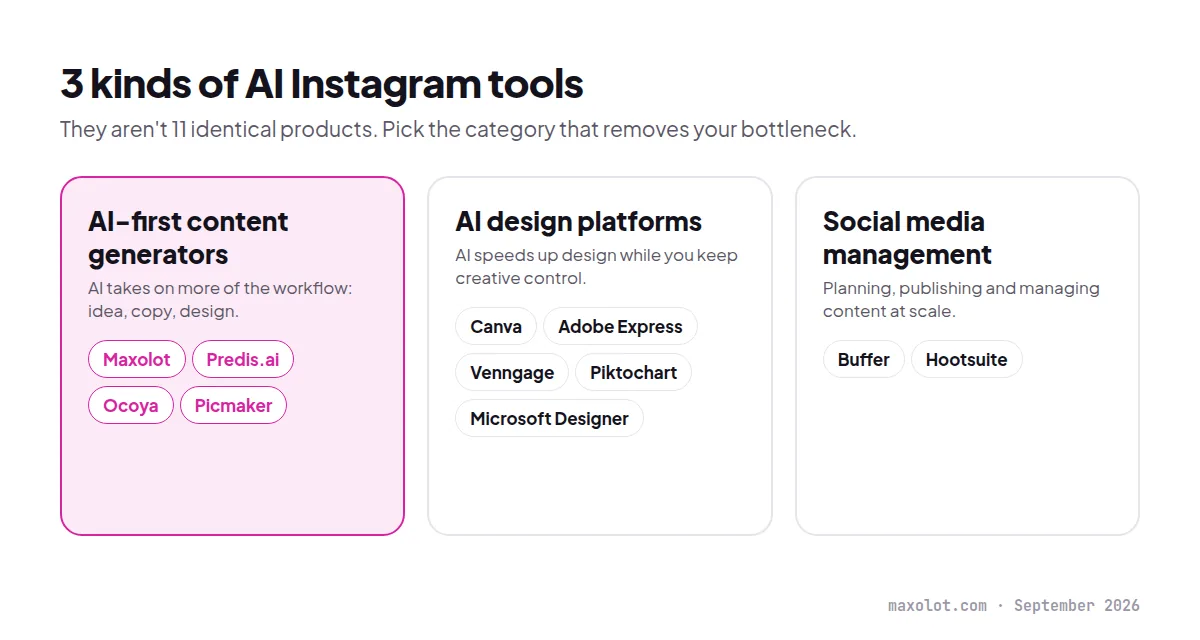
The biggest takeaway is that these aren't really 11 identical products. They're three different categories:
AI-first content generators
Maxolot, Predis.ai, Ocoya and Picmaker. These are useful when you want AI to take responsibility for a larger portion of the content workflow.
AI design platforms
Canva, Adobe Express, Venngage, Piktochart and Microsoft Designer. These are better when you want AI to speed up design while retaining significant creative control.
Social media management platforms
Buffer and Hootsuite. These are most useful when your main challenge is planning, publishing and managing content at scale.
What is an AI Instagram post generator?
An AI Instagram post generator uses artificial intelligence to automate some or all of the process of creating Instagram content.
Depending on the tool, you might provide:
- A topic
- A product
- A website URL
- A business description
- A short prompt
- A campaign goal
- An existing image
The software can then generate some combination of:
- Visual design
- On-image text
- Caption
- Hashtags
- Content ideas
- Images
- Carousels
- Videos
- Content calendars
- Publishing schedules
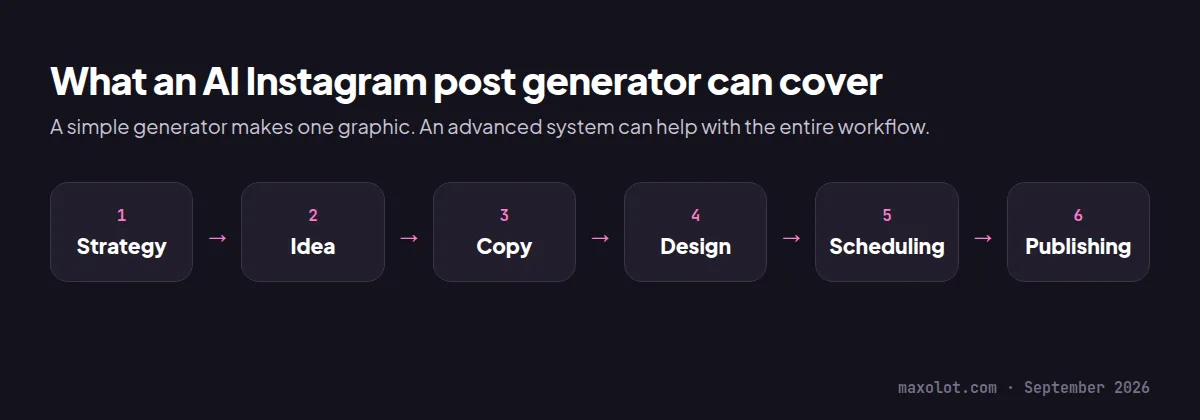
The phrase "AI Instagram post generator" therefore covers a much broader category than it did a few years ago. A simple generator may produce a single graphic. A more advanced system can potentially help with the entire workflow:
Strategy → idea → copy → design → scheduling → publishing
That distinction is worth paying attention to when comparing tools.
What should you look for in an AI Instagram post generator?
Not every AI Instagram tool is equally useful. Before choosing one, look at these eight factors.
1. Does it generate content or just designs?
There's a big difference between "Here is an Instagram template." and "Here is an Instagram post based on your business." If you want to save time, look for tools that generate the content itself, not only the layout.
2. Can it remember your brand?
The more you post, the more important brand consistency becomes. Look for:
- Brand colors
- Fonts
- Logos
- Brand voice
- Saved templates
- Brand kits
3. Can it generate captions?
A beautiful visual still needs a caption. If the tool generates both, your workflow becomes considerably faster.
4. Can it create carousels?
Instagram isn't limited to single-image posts. Carousels are useful for:
- Tutorials
- Lists
- Step-by-step guides
- Educational content
- Storytelling
- Product comparisons
A generator that can handle multiple slides is more versatile than one limited to a single square graphic.
5. Can it create Reels?
Video has become an increasingly important part of Instagram. If you're building an Instagram content system rather than merely creating static graphics, Reels support can matter.
6. Can you edit the AI output?
AI should be a starting point, not a reason to surrender control. Make sure you can change:
- Headlines
- Images
- Colors
- Fonts
- Layout
- Calls to action
- Captions
7. Does it schedule content?
If you're creating 30 posts, you don't want to manually upload 30 posts afterward. Scheduling can turn an AI design tool into a complete content workflow.
8. What's actually free?
"Free AI Instagram generator" can mean several different things. A free tool might provide:
- Unlimited designs with restrictions
- A limited number of AI generations
- Watermarked exports
- A free trial
- A small monthly credit allowance
- A completely free plan
Always check what the free plan actually includes.
How to create an Instagram post with AI
The fastest workflow usually looks like this.
Step 1: Start with the business goal
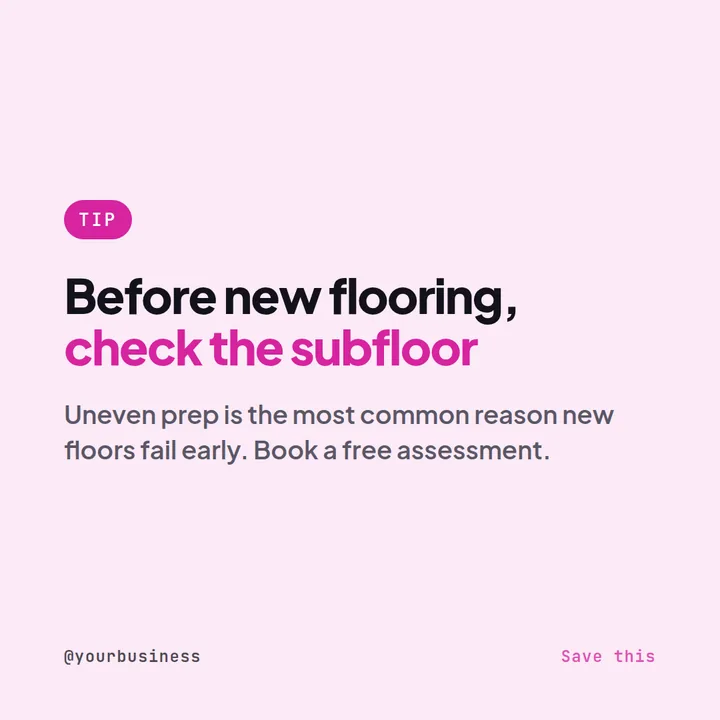
Don't start with "Make me an Instagram post." Start with: "Create an Instagram post that helps homeowners understand why professional floor preparation matters before installing new flooring." The second prompt gives the AI something useful to work with.
Step 2: Tell the AI who you're targeting
Add the audience. For example: "The audience is homeowners aged 30–55 who are renovating their homes." Now the AI has context for the language and visual direction.
Step 3: Add your desired format
Specify:
- Instagram feed post
- Carousel
- Story
- Reel
- Promotional graphic
For a carousel, you can also specify the number of slides.
Step 4: Add your brand
Tell the tool:
- Primary color
- Secondary color
- Font
- Logo
- Visual style
- Tone of voice
If the platform has a Brand Kit, save this information once rather than entering it every time.
Step 5: Generate several versions
Don't automatically publish the first result. Create alternatives. Try:
- Different hooks
- Different headlines
- Different images
- Different layouts
- Different calls to action
Step 6: Edit the result
AI-generated content should still receive a human review. Check:
- Spelling
- Facts
- Product claims
- Prices
- Dates
- Brand names
- Images
- Contact details
Step 7: Write or refine the caption
A good caption usually adds information rather than simply repeating the text on the image. Use the image to earn attention. Use the caption to provide context.
Step 8: Schedule the post
If your tool supports scheduling, queue the post instead of leaving it in your downloads folder.
Skip steps 1–4: describe your business once. Maxolot keeps your audience, brand and tone, then drafts posts from them.
AI Instagram post prompt examples
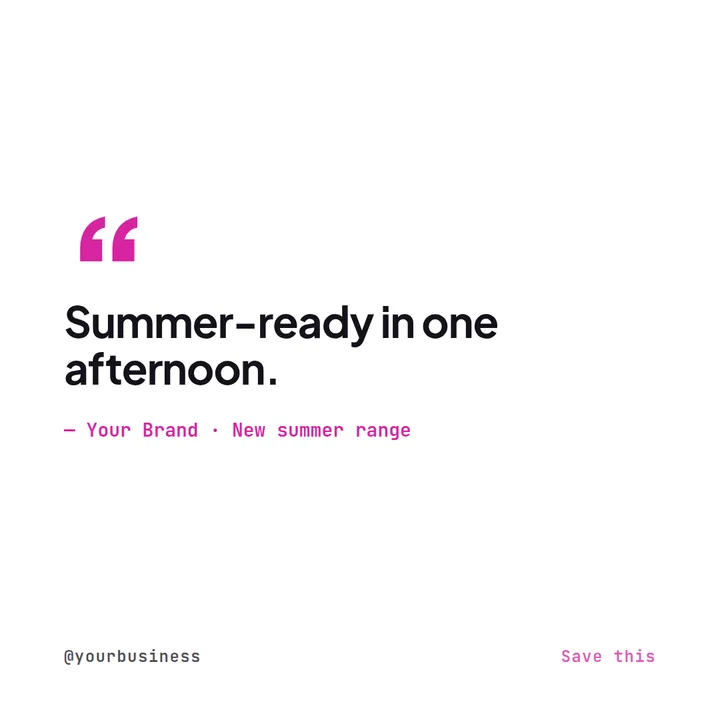
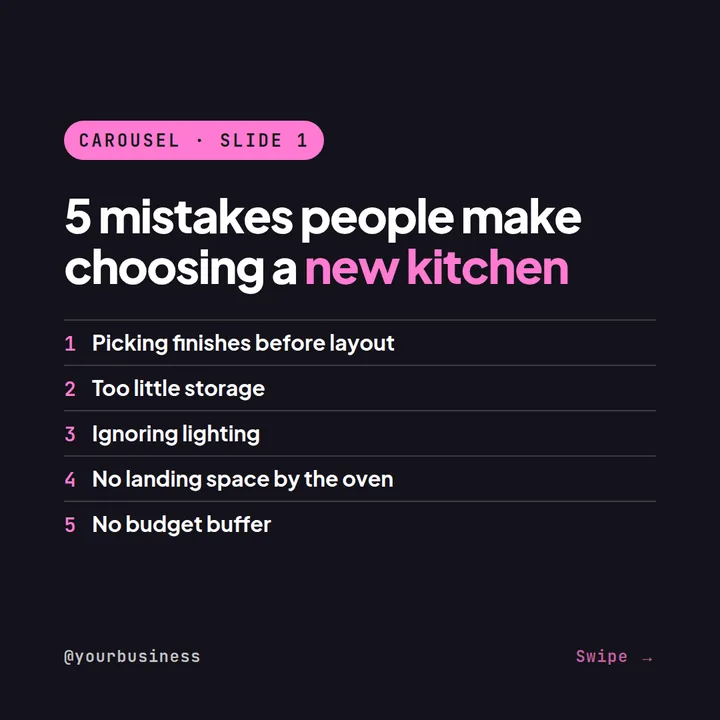
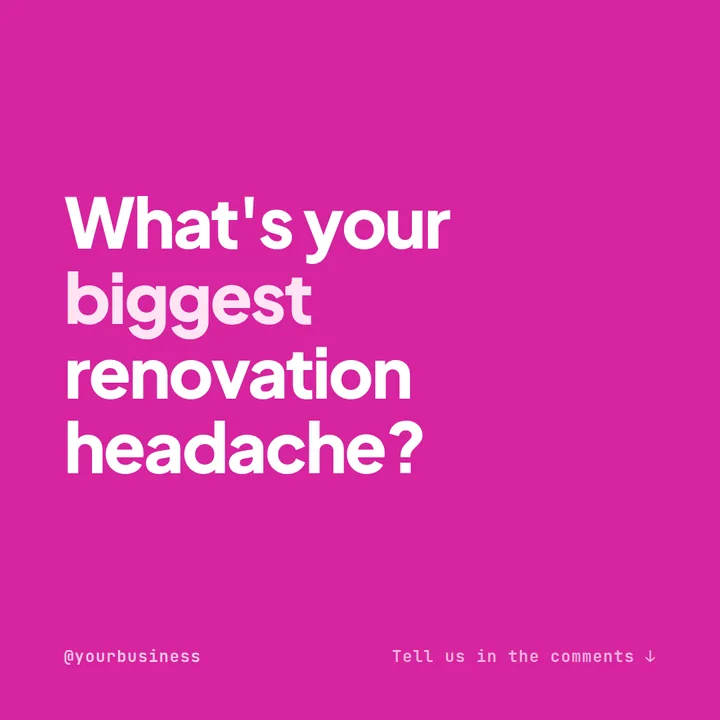
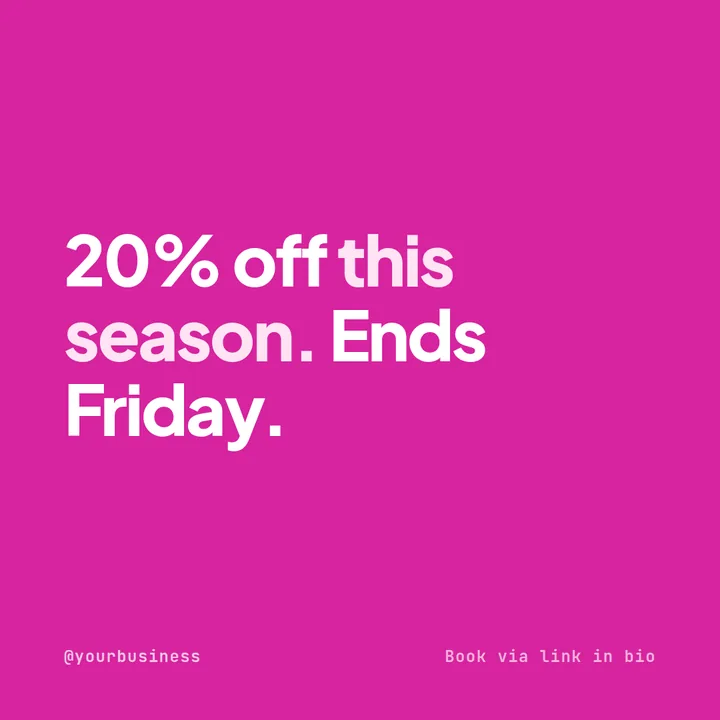
The quality of your output often depends on the quality of your brief. Here are five prompts you can copy and adapt — each shown with an example of the kind of post it should produce.
Product promotion
Educational post
Local business
Engagement post
Promotional post
How to get better results from AI Instagram generators
AI can save time, but vague prompts usually produce generic content. Here are a few ways to improve the output.
Give the AI a specific audience
"Create a marketing post" is vague. "Create a post for independent dentists who want to attract more private patients" is much better.
Give it one objective
Don't ask one post to:
- Educate
- Sell
- Entertain
- Announce
- Generate leads
- Build authority
all at once. Choose one primary objective.
Keep the text on the graphic short
Instagram users scroll quickly. Your visual usually works better when the headline is immediately understandable. Put the details in the caption or carousel slides.
Create content pillars
Instead of generating random posts every day, establish recurring categories. For example:
| Day | Content pillar |
|---|---|
| Monday | Educational |
| Tuesday | Customer story |
| Wednesday | Tip |
| Thursday | Product |
| Friday | Engagement |
This makes AI much more useful because it has a repeatable framework. If you need topics for each pillar, the Instagram post ideas hub has hundreds by industry.
Keep your brand information consistent
The best AI output won't help if every post looks like it came from a different company. Save your logo, colors, fonts, tone, audience and brand description in the tool whenever possible.
Don't publish AI output blindly
AI-generated copy can sound convincing while still being inaccurate. Always check claims, statistics, prices and product information before publishing.
Are AI Instagram posts actually good enough to publish?
Yes, but the answer depends on the tool and how much control you want.
The strongest workflow isn't necessarily AI creates everything → publish immediately. A better workflow is:
AI creates the first version → human reviews → human adds brand knowledge → publish.
That's especially important for businesses. Your AI doesn't know every detail about your customers, your products, your current promotions or your reputation. You do.
Use AI for the repetitive work and human judgment for the important work.
AI Instagram post generator vs. Canva
This is one of the most common comparisons. The difference is mainly automation versus creative control.
Canva is excellent when you want to control the design yourself and have a huge library of templates and assets available. An AI-first generator is more useful when you want the software to make more of the decisions.
If your workflow is idea → choose template → edit → export, Canva is a natural fit.
If your workflow is business information → content idea → copy → design → publish, an AI-first platform such as Maxolot, Predis.ai or Ocoya may save more time.
AI Instagram post generator vs. traditional templates
Templates aren't going away. In fact, templates are still incredibly useful. The difference is that AI can reduce the work required to adapt them.
| Traditional workflow | AI-assisted workflow |
|---|---|
| 1. Search for a template | 1. Describe the post |
| 2. Choose one | 2. Generate |
| 3. Replace the text | 3. Review |
| 4. Find an image | 4. Edit |
| 5. Change the colors | 5. Publish |
| 6. Resize | |
| 7. Write a caption | |
| 8. Export |
That's the real promise of AI Instagram generators. Not necessarily better design. Less repetitive work.
Frequently asked questions
What is the best AI Instagram post generator?
Is there a free AI Instagram post generator?
Can AI create Instagram captions too?
Can AI create Instagram carousels?
What size should an Instagram post be?
Are AI-generated Instagram posts professional?
Can AI generate an entire month of Instagram content?
What is the easiest way to make Instagram posts with AI?
How did you compare these AI Instagram post generators?
Final thoughts: which AI Instagram post generator should you try?
The right choice depends on what is slowing you down.
| If your biggest problem is… | Start with |
|---|---|
| Coming up with content and consistently turning business knowledge into Instagram posts | Maxolot |
| Design flexibility | Canva, Adobe Express |
| Automating social content | Predis.ai, Ocoya |
| Professional, informational or data-heavy content | Venngage, Piktochart |
| Monthly Instagram content generation | Picmaker |
| Publishing and social management for existing assets | Buffer, Hootsuite |
The important thing is not to choose the tool with the longest list of AI features. Choose the one that removes the biggest bottleneck in your workflow.
For many businesses, that bottleneck isn't actually designing an Instagram graphic. It's figuring out what to post, writing it, designing it, and doing it consistently every week.
That's where AI Instagram post generators are becoming much more interesting in 2026 — and why we built Maxolot around that problem.
Maxolot is our product. Competitor features, free options and prices were checked on vendors' own websites in September 2026 and may change; confirm current details before subscribing. Product names are trademarks of their respective owners.