Looking for a Canva alternative? Canva is a genuinely good design tool, but it's still a design tool — you pick the template, write the copy, and assemble the post yourself. Some people want more design power than Canva offers. Some want less manual work, not more.
We looked at five tools people search for as a Canva alternative — Maxolot, Adobe Express, Figma, VistaCreate, and Piktochart — and compared them on price, how much design control they give you, and how much work they still leave on your plate. Maxolot is our own product, so treat that section with appropriate skepticism — but the pricing and feature data below for every tool comes from each company's own current pricing pages.
Quick answer: If you want a finished Instagram post without opening a design canvas at all, Maxolot is built specifically for that, with a free 10-post trial. If you want a template-based editor similar to Canva, Adobe Express or VistaCreate are the closest matches. If you want full custom design control, Figma. If your content leans infographic or data-driven, Piktochart.
Key Takeaways
- Maxolot, Adobe Express, Figma, VistaCreate and Piktochart all serve different points on the design-control spectrum — none of them is a drop-in Canva clone.
- Maxolot is the only tool here that skips the design canvas entirely and outputs a finished post automatically.
- Adobe Express's free plan is genuinely usable (100,000+ templates, 1M+ stock assets); Premium is $9.99/month.
- Figma is free for individuals and the most powerful design tool of the five, but it has the steepest learning curve and no template-first quick-post workflow.
- Piktochart and VistaCreate both start around $10/month on their entry paid tiers, undercutting Adobe Express Premium and Figma Professional.
Generate a real Instagram post with your own business in under a minute.
Canva Alternative: Quick Comparison Table
Here's the short version before the detailed breakdown — entry price, what the free tier actually gives you, and the one thing each tool is genuinely best at.
| Tool | Starting Price | Free Tier | Best For |
|---|---|---|---|
| Maxolot | Free to start | 10 posts, no card needed | Skipping design entirely — automated post strategy & GEO-optimized content |
| Adobe Express | Free ($9.99/mo Premium) | 100K+ templates, 1M+ stock assets | Closest like-for-like Canva alternative |
| Figma | Free ($12-15/mo Pro) | 3 projects, unlimited storage | Full custom design control |
| VistaCreate | Free (Pro $10/mo) | 1 seat, 10GB storage | Budget template library with basic AI |
| Piktochart | Free (Pro $10/mo) | 2 PNG downloads only | Infographics & data-driven social graphics |
Pricing reflects each company's published rates as of August 2026 and can change — confirm current numbers on the provider's own pricing page before buying.
What to Look For in a Canva Alternative
Before comparing tools, it helps to know which of these actually matters for your workflow.
- Do you want to design, or do you want a finished post? Some tools hand you a template to fill in. One tool here skips the design step and hands you a finished post.
- What does the free tier really cover? Piktochart's free plan caps you at 2 PNG downloads; Adobe Express and Figma are usable indefinitely for free.
- Does it match your actual content type? Infographic-heavy content, custom brand design, and quick social posts aren't equally well served by all five tools.
- How steep is the learning curve? Figma rewards design skill; Maxolot and Adobe Express are built to be usable immediately.
- Does it help content get discovered beyond the Instagram feed itself? This is a newer consideration — some tools now optimize phrasing so AI assistants like ChatGPT can surface the content in answers, not just the Explore tab.
1. Maxolot
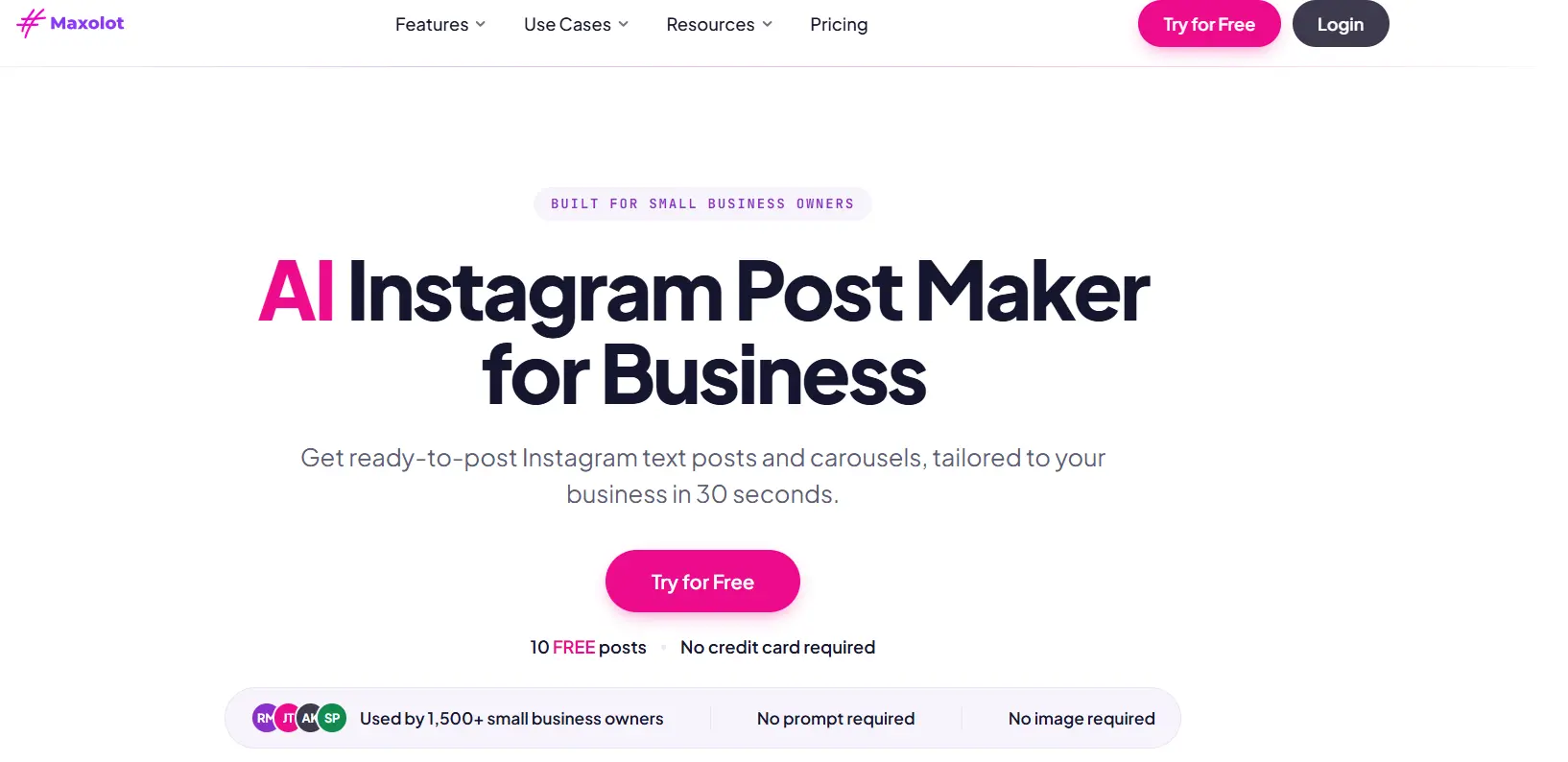
Maxolot is built around one idea: you shouldn't have to design a post every time you want to publish one. Give it your business, and it generates a complete Instagram post — text post or 5-10 slide carousel, caption and hashtags included — in about 30 seconds, with no canvas, no template picking, and no drag-and-drop.
Why Maxolot Is the Top Canva Alternative
Of the five tools in this Canva alternative comparison, Maxolot is the only one that removes the design step entirely — it decides the post type, hook and layout itself rather than handing you a blank template.
Features
- Automatically selects from 50 proven post types and 45 hook formulas rather than requiring you to pick a template
- 12 design styles applied automatically with your brand
- Built on a four-pillar content system (Teach, Prove, Connect, Convert) so posts rotate through a real content strategy
- Tracks account performance to adjust the content mix over time
- Built-in hook generator and industry-specific content for businesses like roofers, salons and real estate
- GEO engine writes posts with entity-clear phrasing so AI assistants like ChatGPT can surface them in recommendations, not just the Instagram algorithm
Pricing
10 free posts with no credit card and no account required to start. Paid plans are available once you've tested the free posts — see maxolot.com for current tiers.
Best for
Businesses and creators who want Instagram content to just show up, without opening a design tool at all.
2. Adobe Express
Adobe Express is the most direct like-for-like Canva alternative on this list — a template-based editor backed by Adobe's stock library and generative AI tools, with a free plan that's genuinely usable rather than a stripped-down trial.
Features
- 100,000+ static and video templates, 1M+ Adobe Stock assets on the free plan (200M+ on Premium)
- Free daily generative AI features; Premium unlocks 250 monthly generative credits
- One-click resize, brand kits, and social scheduling (1 account free, 3 on Premium)
- Access to Photoshop on web and mobile via the Firefly Pro tier
Pricing
Free ($0, 100K+ templates, 5GB storage), Premium $9.99/month (all templates, 250 AI credits, 100GB storage), Firefly Pro $19.99/month (4,000 AI credits, Photoshop access). Teams plan available at $4.99/month per license (first year).
Best for
Anyone who wants a Canva-like editing experience backed by Adobe's stock library and generative AI, without switching to a fully automated tool.
3. Figma
Figma is the most powerful design tool on this list and the least like Canva in workflow — there's no template-first quick-post flow, just a full design canvas with professional-grade control.
Features
- Unlimited file storage and 30-day version history on the free plan
- Full vector design tools, components, and team libraries on paid tiers
- Real-time multiplayer collaboration built in from the free tier up
- Organization-wide design systems and enforced SSO/2FA on higher tiers
Pricing
Free ($0, 3 projects, 2 members), Professional $12/month annual ($15/month monthly) per editor, Organization $45/month per editor (annual), Enterprise custom.
Best for
Designers and teams who want full custom control over every element and don't mind a steeper learning curve than a template editor.
4. VistaCreate
VistaCreate is a budget-friendly template editor, closer to Canva's original simplicity than Adobe Express or Figma, with a smaller but still substantial asset library.
Features
- 200K+ templates and 170M+ photos, videos and vectors
- AI Image Generator, AI Writer, background and object remover
- Unlimited Brand Kits, one-click resizer, social scheduling on Pro
Pricing
Free ($0, 1 seat, 10GB storage), Pro $10/month (up to 10 seats, unlimited storage), 14-day free trial on Pro.
Worth knowing before you rely on it: VistaCreate requires you to structure your own prompt (hook, CTA, etc.) rather than suggesting post ideas, and it requires creating an account before you can start — the topic you typed pre-signup isn't carried through.
Best for
Solo users who want a low-cost template editor with occasional AI image help, and who already know exactly what they want each post to say.
5. Piktochart
Piktochart leans into infographic and data-driven visual content more than any other tool on this list, which makes it a specialist pick rather than a general Canva swap.
Features
- Infographic maker, social media graphic maker, and a video editor
- 5M+ premium icons, illustrations and 3D graphics on paid plans
- AI credits for content generation (60 free, 500 on Pro, 1,000 on Business)
- Team collaboration on all plans, live chat support from Pro up
Pricing
Free ($0, 2 PNG downloads only), Pro $10/month annual ($15/month monthly, unlimited PNG downloads), Business $17/month annual ($20/month monthly, brand kits, unlimited PNG/PDF/PPT), Enterprise custom.
Best for
Teams whose social content is data-heavy — infographics, charts, and report-style graphics — rather than straightforward photo or text posts.
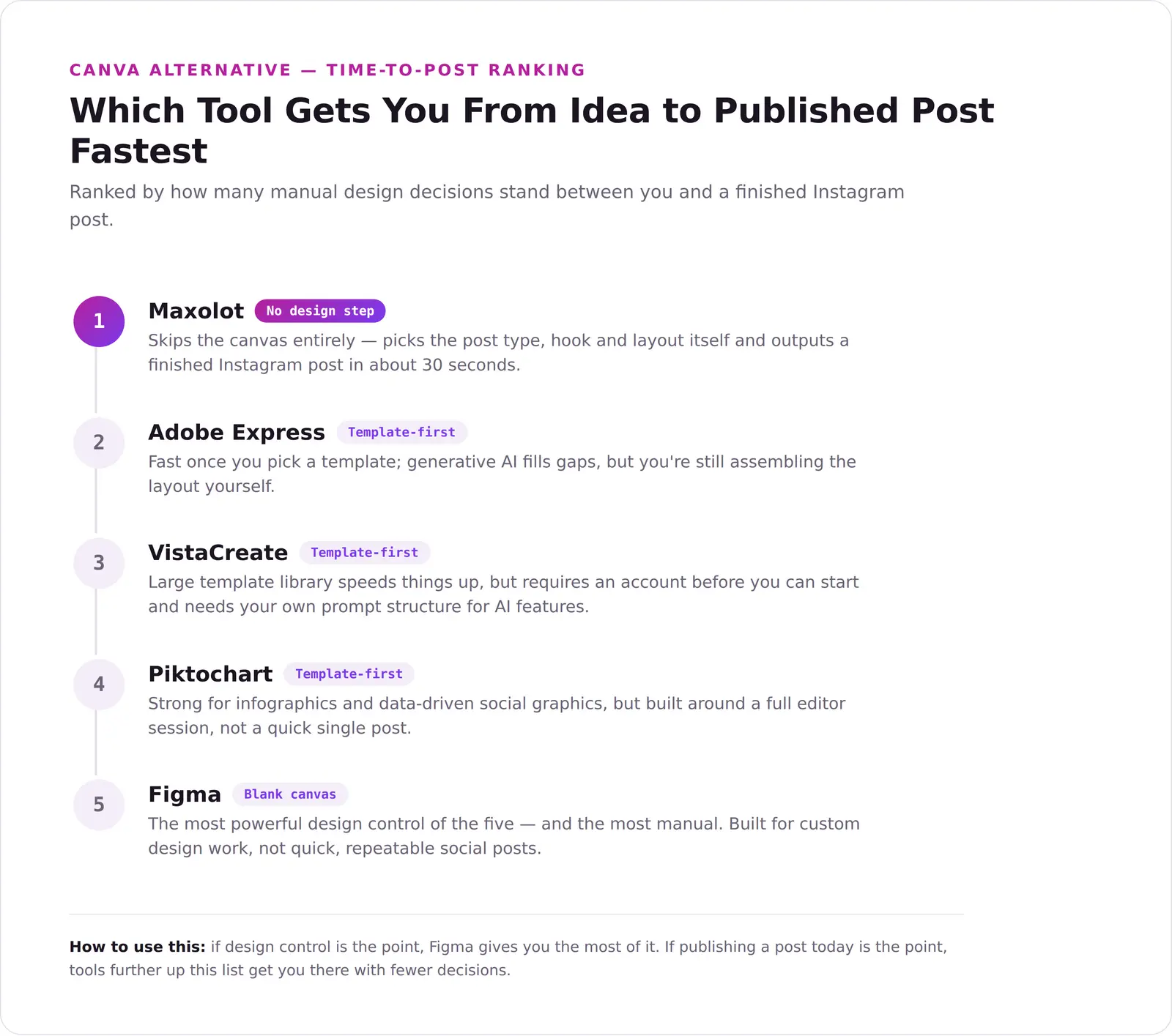
Which Tool Gets You From Idea to Published Post Fastest
Price and feature lists only tell half the story — the bigger practical difference between these five tools is how many manual design decisions stand between you and a finished post.
Which Tool Fits Your Situation
A quick gut-check based on what you're actually trying to solve.
- "I don't want to design anything, I just want a post." — Maxolot, free to start.
- "I want a Canva-like editor with Adobe's stock library." — Adobe Express.
- "I want full custom design control." — Figma.
- "I want a budget template editor." — VistaCreate.
- "My content is infographic or data-heavy." — Piktochart.
- "I want my content to show up in AI assistant answers, not just the Instagram feed." — Maxolot's GEO engine is the only one of these five built specifically for that.
Frequently Asked Questions
What is the best Canva alternative in 2026?
Is Maxolot really free to try?
How is Maxolot different from Canva?
Is Adobe Express actually free?
Can Figma replace Canva for social media graphics?
What does Piktochart cost?
Is VistaCreate a good Canva alternative?
Which of these tools is cheapest for a solo creator?
Do any of these tools help content get found by ChatGPT or Google AI answers?
Is there a tool that handles both design and social scheduling?
Should I switch from Canva to a different tool?
What's the fastest way to go from idea to a published Instagram post?
No credit card. 10 posts on us.
Final Takeaway
There's no single "best" Canva alternative — there's the one that matches how much design work you actually want to do. If you want a tool that skips the canvas and hands you a finished post, Maxolot's free 10 posts are the fastest way to see if that fits. If you'd rather keep a template editor, Adobe Express or VistaCreate are the closer matches to Canva itself, Figma if you want full design control, and Piktochart if your content leans infographic.