If you run Instagram for a business, you already know the problem isn't "can I make a pretty post." It's Tuesday, you have no topic, no caption, no template that matches yesterday's post, and a stock photo folder that doesn't fit your brand. We hit that wall constantly — so we spent real hours inside nine of the most recommended Instagram post makers and AI Instagram post generators to see which ones actually solve it.
We signed up for each tool ourselves (some wanted a credit card, some didn't — we noted that), ran the same kind of business post request through each one, and tracked what happened from "blank screen" to "downloadable post." Below is exactly what we found, ranked by how much of that real workflow each tool actually handles.
Key Takeaways
- We ranked these 9 apps to create Instagram posts on five criteria: usable free trial, content/topic suggestions, done-for-you copy (the text on the post or carousel slides, not just the caption underneath it), template consistency, and whether you need your own images.
- Maxolot came out on top in our testing — it's the only tool that generated the on-post text, a matching caption, and the content idea itself in one step, with no prompt and no image search required.
- aiCarousels is the strongest pick if you only need carousel posts; Ahrefs' Caption Generator is a solid free add-on if you already have your own photos and just need captions.
- Three tools we tested (Venngage, Piktochart, Predis.ai) block downloads until you upgrade, even after you've built a post.
How We Ranked These 9 Instagram Post Makers
Most "best AI Instagram post generator" roundups score tools on generic things like "ease of use" or "design quality." Those matter, but they don't tell a business owner what actually eats up their time. So instead, we tested every tool against five criteria that map to the real workflow of posting consistently on Instagram:
1. Free trial with usable results. Can you actually generate something and see real output, or does the tool hide results behind a paywall before you've decided it's worth paying for?
2. Content and topic recommendations. Does the tool suggest what to post, or does it only help you design something you've already decided on?
3. Done-for-you copy. This covers two separate things: the text that sits on the post itself — the headline, quote, or slide text in a carousel — and the caption that goes underneath it. Some tools write neither, some write only one, and only a couple write both to match each other.
4. Template availability, choice, and consistency. Are there enough templates to avoid repeating yourself, and — more importantly — can you keep a consistent visual style across posts so your grid doesn't look like nine different brands?
5. Image sourcing. Do you need to hunt for your own photos, or does the tool generate visuals for you? And if it provides images, are they actually relevant and good quality, or do they feel bolted on?
We tested every tool as a business or creator would: starting from nothing but a general idea for what to post, not a fully written prompt. That's the scenario where most "AI" post generators quietly turn into "you still do the work" generators.
Quick Comparison: Best Apps to Create Instagram Posts for Business
| Tool | Best For | Free Trial (Usable) | Prompt Needed | Generates Post Image | Topics & Strategy | Consistent Feed Templates | Scheduling | Price |
|---|---|---|---|---|---|---|---|---|
| Maxolot | Ready-to-post Instagram content for business: posts & carousels | Yes, no card required | No | Yes | Yes | Yes | No | From $19/mo |
| aiCarousels | Creating carousel posts for Instagram and LinkedIn | Yes, no card required (sometimes with watermark) | Yes | Yes | No | No | No | From $15/mo |
| Piktochart | Fast prompt-to-post visuals | No — download or sharing requires a paid tier | Yes | Yes | No | No | Yes | From $15/mo |
| Canva | DIY Instagram content: posts, carousels & Reels | Yes, no card required (sometimes with watermark) | Yes | Yes | No | Yes | Yes | Pro ~$15/mo |
| Ocoya | Multi-channel scheduling | Yes, no card required | Yes | Yes | No | No | Yes | From $19/mo |
| Predis.ai | General social media posting | Requires a credit card | Yes | Yes | No | No | Yes | From ~$19/mo |
| Venngage | Infographic-style templates | No — download or sharing requires a paid tier | Yes | Yes | No | No | Yes | From $19/mo |
| Plann | Content-pillar planning (on paper) | Yes, no card required | N/A | No | Attempted, broken | N/A | No | Freemium |
| QuillBot | Caption/text ideas only | Yes, no card required | Yes | No | No | N/A | No | Free/Premium |
Bonus pick for a specific job: Ahrefs' free Instagram Caption Generator — if you already have your own photos and just need captions, it's worth a look.
1. Maxolot — Best Overall App to Create Instagram Posts for Business
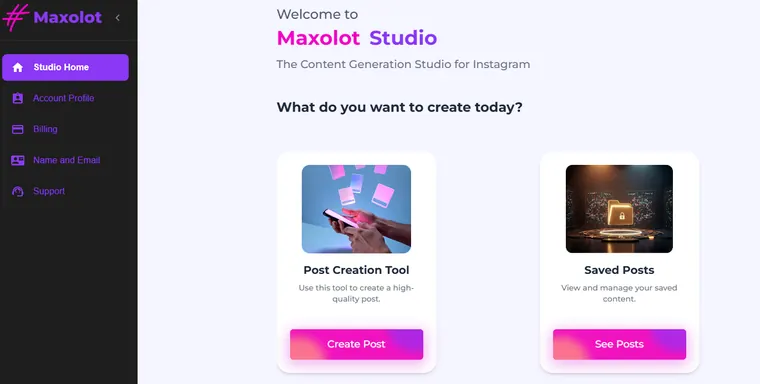
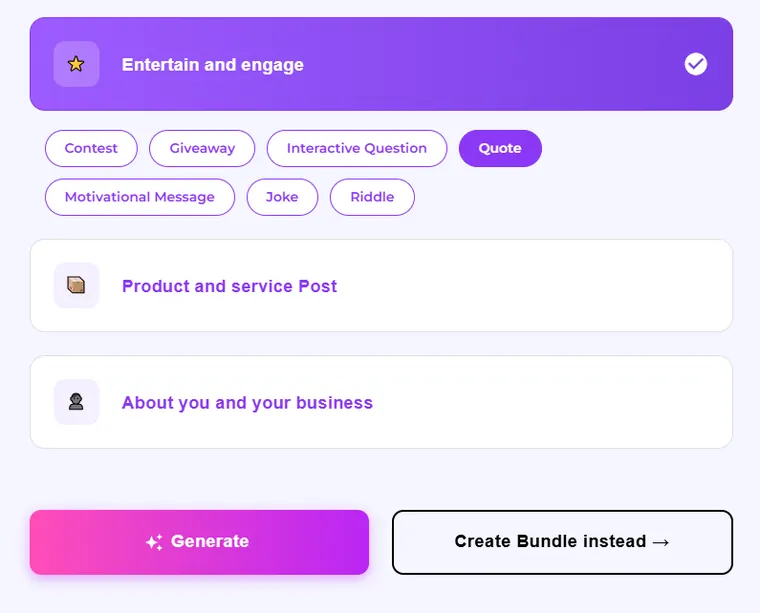
Maxolot is built around a question most Instagram post makers skip entirely: what should this business even post today? Instead of dropping you in front of a blank prompt box, Maxolot opens with content categories — Entertain and Engage, Contest, Giveaway, Quote, Motivational Message, Joke, Riddle, Product and Service Post, and About You and Your Business — so you're choosing a strategy, not inventing one from scratch.
It covers three of the formats that matter most on Instagram: scroll-stopping hooks, carousels, and ready-made post templates — all generated with the same content-first approach rather than as separate, disconnected tools.
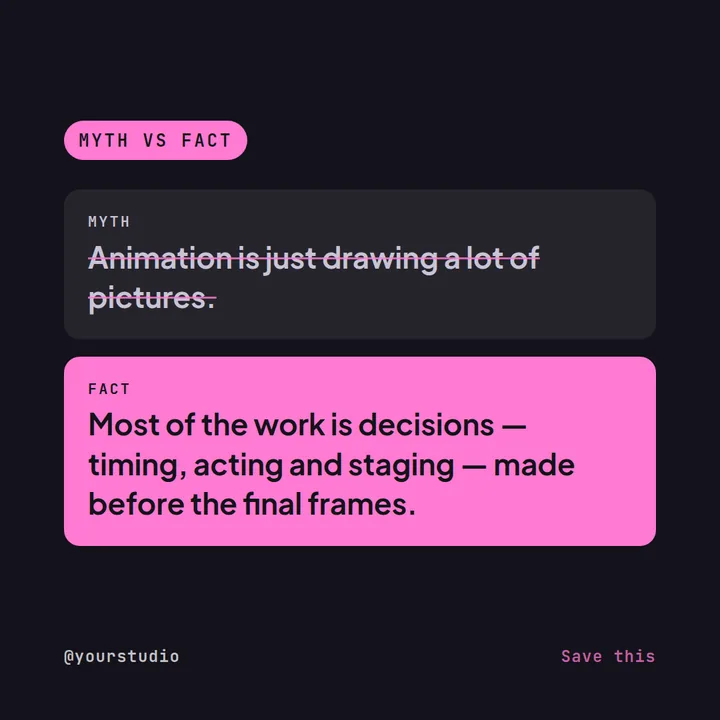
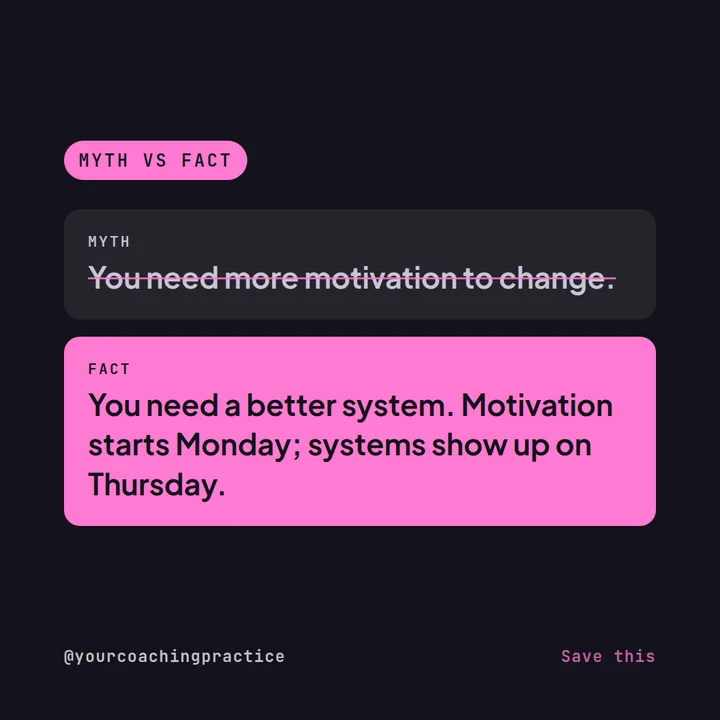
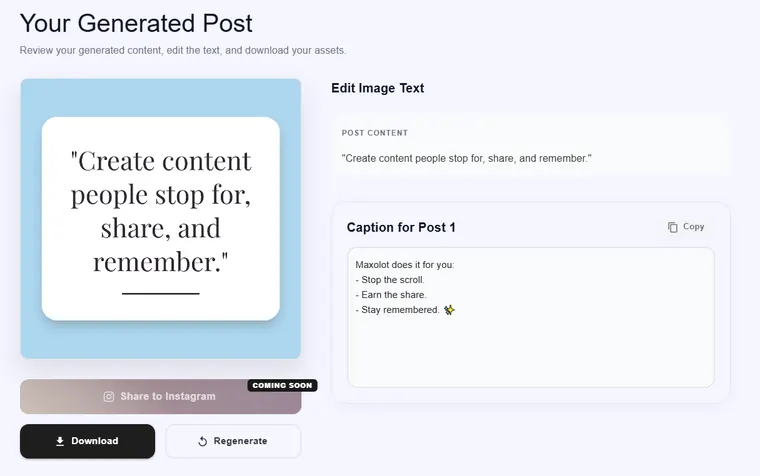
What we liked: once you pick a content type, Maxolot writes the text that goes on the post itself, generates the matching design around it, and writes a separate caption to go underneath — all in the same step. No prompt writing, no separate copywriting pass, and no stock photo search. The post we tested came back with its own on-image line ("Create content people stop for, share, and remember.") plus a distinct caption ("Maxolot does it for you: Stop the scroll. Earn the share. Stay remembered."), ready to copy and download immediately.
Key features:
- Ready-made content categories and topic ideas — you don't need a content calendar to get started
- On-post text, design, and caption generated together, every time — not just a caption tacked on after
- One-click Download, with a Regenerate option if the first version isn't quite right
- No prompt writing and no image sourcing required
- Consistent design templates built for maintaining a cohesive Instagram feed, not one-off graphics
How it works: open the Post Creation Tool and click one of the suggested, proven post types for Instagram — a How-To carousel, a "5 Tips" post, and so on — instead of typing anything. Maxolot generates the design and caption together from there. Download it, regenerate it, or save it to revisit later from Saved Posts.
Where it's still growing: direct Share to Instagram is marked "coming soon" in the product, so for now you download and post manually rather than publishing straight to the app. If you need native posting or multi-platform scheduling today, pair Maxolot with a scheduler for that one step — you won't need it for the design or copy work. Customization inside a design theme is also intentionally limited to brand colors and images rather than full layout control, which is the trade-off for the consistent, done-for-you feed Maxolot is built around.
Assessment against our 5 criteria: Free trial with usable results ✅ · Content & topic recommendations ✅ · Done-for-you copy (on-post text and caption) ✅ · Consistent feed templates ✅ · No image sourcing needed ✅
Pricing: Free trial, no credit card required — plans start at $19/month.
2. aiCarousels — Best for Carousel Posts
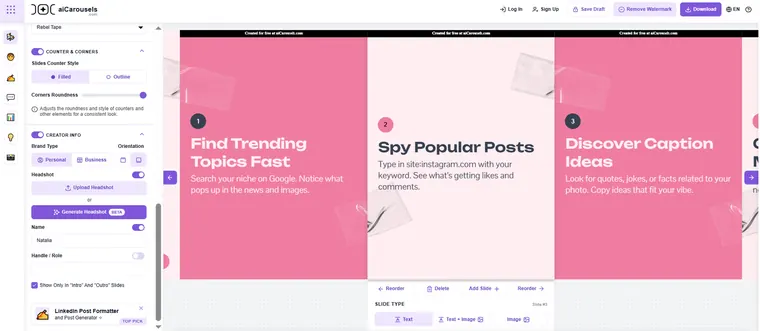
If carousels are your main Instagram format, aiCarousels is worth a dedicated look. You can build a carousel manually for free — it just ships with a watermark until you upgrade. A prompt is required for AI generation, but it's a light one: give it just a topic or title (we tested "how to grow on Instagram") and it writes and designs the rest of the slides for you.
Key features:
- Free manual mode requires you to already have your content ready to type in yourself; the AI generation feature just needs a topic or title, not a full written brief
- Genuinely strong slide design quality
- Downloadable carousels, including free exports with a watermark
Where it falls short: the editor is powerful but complex — expect to spend time micromanaging layout if you want full control. It writes the text that appears on each slide, but it's limited to carousel format only and doesn't write a separate caption — you'll still need to write that yourself.
Pricing: Free to download, but some content can contain a watermark for manual carousels; AI generation starts around $15/month.
3. Piktochart — Fast Prompt-to-Post Visuals
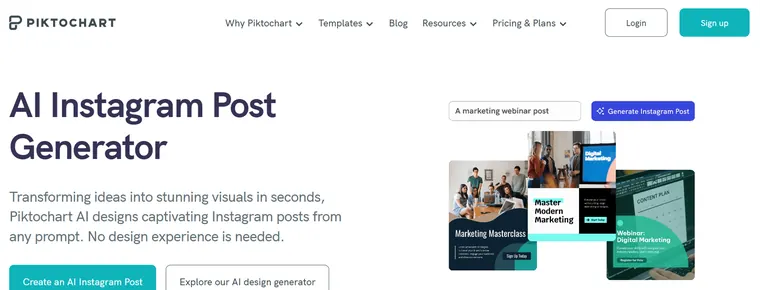
Piktochart's AI Instagram Post Generator turns a written prompt into a designed post in seconds. Sign-up doesn't require a credit card, and the visual quality genuinely impressed us across the themes we tried.
Key features:
- Good quality visuals straight out of the generator, with little cleanup needed
- Multiple design themes — redo the same post in a completely different look in a second
- Color customization on generated designs
- No image sourcing needed; visuals are built in
Where it falls short: you can build and preview a full post, but you can't actually use it — downloading or sharing requires upgrading to a paid plan first. Every post also starts from a prompt you have to write, with no built-in topic or strategy suggestion.
Pricing: Plans start around $15/month.
4. Canva — Best for Full Design Control
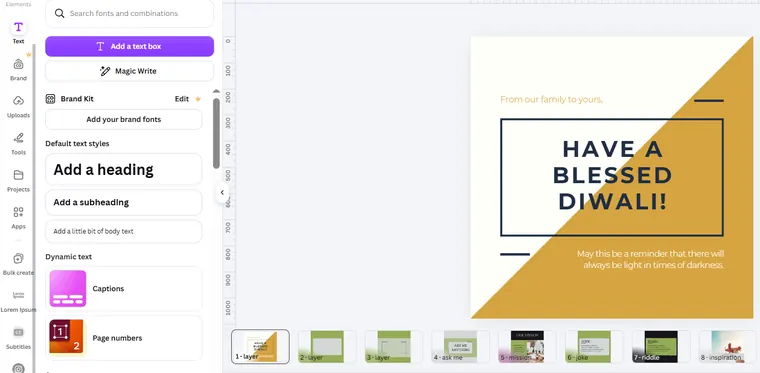
Canva remains the most flexible design tool on this list, and its Magic Design and Magic Write features bring AI assistance into a very mature template library. Brand Kit lets you lock in fonts and colors across designs, which helps with consistency if you set it up carefully.
Key features:
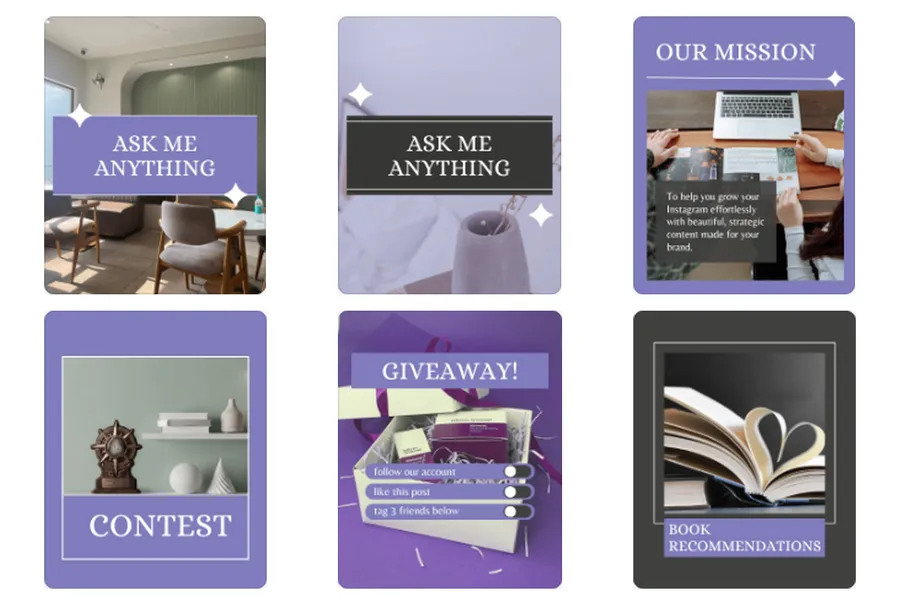
- Massive template library covering nearly every post style
- Magic Write for AI-assisted captions and copy
- Brand Kit for reusable brand fonts and colors
- Magic Edit, Erase, and Expand for photo adjustments
Where it falls short: Canva requires a prompt or a template choice to get moving — there's no built-in content strategy or topic suggestion — and you're expected to supply your own images for anything beyond its stock library. Keeping a genuinely consistent feed across templates still takes manual effort.
Pricing: Free tier available; Pro runs about $15/month.
5. Ocoya — Best for Multi-Channel Scheduling
Ocoya combines AI post generation with scheduling across multiple social channels, which makes it appealing if publishing logistics are your bigger pain point than design. The free trial doesn't require a credit card.
Key features:
- Scheduling across multiple platforms, not just Instagram
- 1,700 templates available (a smaller library than some competitors)
- No credit card needed to try it
Where it falls short: the template library is comparatively limited, every post starts from a written prompt, and there's no content strategy or topic-suggestion layer — you still need to know what you want to post.
Pricing: Plans start around $19/month.
6. Predis.ai — Best for General Social Media Posting
Predis.ai is built for social media broadly, not Instagram specifically, and that shows in the output: it doesn't maintain a consistent design theme across posts, which matters if you care about your grid looking cohesive. Signing up for the trial required a credit card in our test.
Key features:
- Large design template database
- Easy in-tool editing
- Direct posting to Instagram
Where it falls short: every post still starts from a prompt, there's no unique design theme to keep your feed consistent, and pricing adds up quickly — plans start around $19/month, but our tested plan came to $32/month, limited to a single brand, with an extra $5/month per additional channel.
Pricing: From ~$19/month; our tested cost was $32/month for one brand (+$5/month per extra channel).
7. Venngage — Best for Infographic-Style Templates
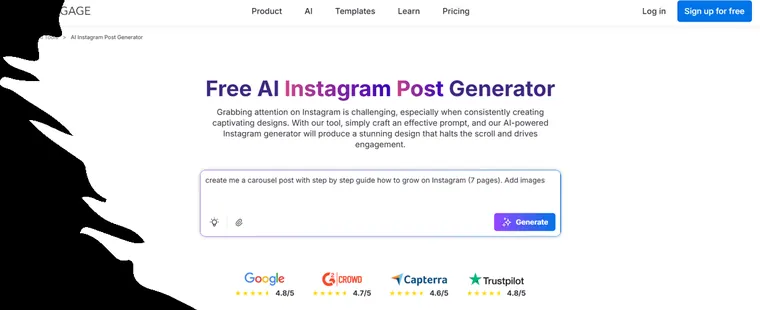
Venngage leans into infographic-style design more than pure Instagram post design, with a library of around 10,000 templates. The editor is easy to use once you're in — think Canva-like — but getting a post out the door has friction.
Key features:
- Roughly 10,000 templates to search
- Canva-style editor that's easy to pick up
- Brand kit support
Where it falls short: it requires a working email and sign-up before you can do anything, prompting is required, and you can't download without upgrading. We also ran into text overflow on some templates, and while Venngage does include stock images, they often didn't fit the design cleanly. Templates can't be restyled into a different visual theme — you're stuck with the layout as designed, just recolored.
Pricing: Plans start around $19/month; no free download.
8. Plann — Promising Idea, Not Yet Delivered
Plann's pitch is strong on paper: start from content pillars and topic ideas, or start from an image, then build with drag-and-drop. Sign-up doesn't require a credit card. In practice, when we tested the idea generator and strategy features, neither one worked.
Key features (as advertised):
- Content pillars and topic suggestions
- Drag-and-drop post builder
- Linktree integration
Where it falls short: the features that would actually solve the "what do I post" problem — idea generation and strategy — didn't function during testing. Until that's fixed, treat this as a design tool, not a strategy tool.
9. QuillBot — Not Suitable for Instagram Post Design
QuillBot is a strong writing tool, but it's not an Instagram post maker. You need to sign up just to get post copy out of it, and even then it only gives you text ideas — it doesn't generate images or visuals of any kind. For an Instagram-specific workflow, this only solves a fraction of the job.
Key features:
- Generates post copy and ideas
- No image or visual generation
Verdict: not suitable if you need a finished, postable design.
Bonus Pick: Ahrefs' Free AI Instagram Caption Generator
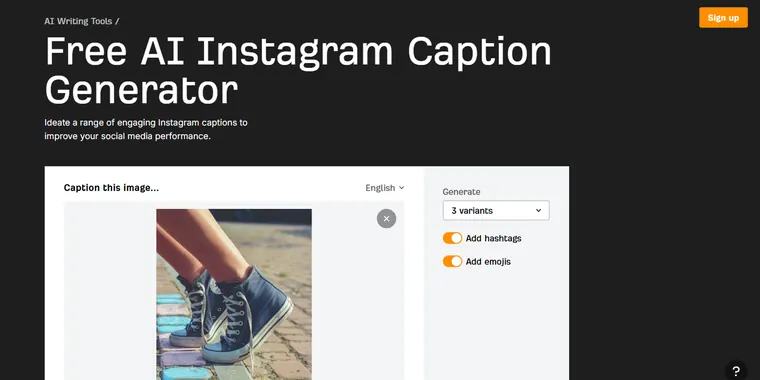
This one isn't a post maker — it's a caption tool. If you already have your own photos and just need engaging copy to go with them, Ahrefs' Instagram Caption Generator is a genuinely useful free add-on: upload your image, choose how many caption variants you want, and toggle hashtags and emojis on or off.
It doesn't design posts, suggest topics, or provide images — it's purpose-built for exactly one step in the workflow. Worth bookmarking for days when the photo already exists and only the words are missing.
AI Instagram Post Generators: The Good, the Bad, and the Most Disappointing Feature
The good: tools like Maxolot cut out the two slowest parts of posting — deciding what to say and designing something that fits your feed — by generating both together. That's real time back in a business owner's week, not just a prettier export.
The bad: most of the tools we tested only solve design. You still need to know what to post, write the text that goes on the post, write a separate caption, and often source your own photo. That's several extra steps most "AI Instagram post generator" marketing doesn't mention upfront.
The most disappointing feature: several tools let you build a full post and then tell you it's locked behind a paid plan. Venngage and Piktochart both followed this pattern in our testing — you invest the time, then hit the paywall at the download button.
How to Choose the Right Instagram Post Maker for Your Business
- Start with what's actually slowing you down. If it's "I don't know what to post," you need a tool with content and topic suggestions — not just a design tool with a blank prompt box.
- Check whether the free trial shows you a real result. Some tools let you generate and preview a post but hide the download behind a paywall. Test that before you commit.
- Look at template consistency, not just template count. Ten thousand templates don't help if none of them can be restyled to match each other — a scrolling feed needs a visual system, not nine unrelated designs.
- Confirm whether you'll need your own images. If a tool doesn't generate visuals, budget time (or a stock photo subscription) for sourcing them.
- Match the tool to your format. A carousel specialist like aiCarousels will usually beat a generalist for that one format; a strategy-first tool like Maxolot will usually beat a pure design tool if content ideas are your bottleneck.
Frequently Asked Questions
What's the best free AI Instagram post generator for business?
What's the best bulk Instagram post maker?
Do I need to write prompts to use an AI Instagram post generator?
Which Instagram post maker doesn't require sourcing your own images?
Is Canva good enough for a business Instagram feed?
What's the best app for Instagram carousel posts specifically?
Which is the best AI to generate social media posts?
What is the best AI image generator for social media posts?
Is there a free AI for generating social media posts?
Can ChatGPT make social media posts?
Final Verdict
If you want an Instagram post maker that solves the whole problem — what to post, how it looks, what it says on the post, and what the caption says — Maxolot was the only tool in our test that did all four without a prompt or an image search. aiCarousels is the better pick if carousels are your main format, and Ahrefs' caption generator is worth keeping on hand for days when you already have the photo and just need the words.
We tested each tool ourselves between August 2026 and publication, using the same real-world scenario: a business with no existing content plan looking for its next Instagram post. Screenshots throughout this article are from our own testing sessions. Pricing reflects each provider's public plans and our own billing experience where noted, and may change — check each provider's site for current pricing before you buy.