
By Natalia de Vlieger, founder of Maxolot · Updated November 2026 · 9 min read
Quick answer
The best quote generator for Instagram depends on how you work. Canva is best for design control, Maxolot is the all-in-one pick that writes AI generated quotes and creates the whole post for your business, Adobe Express for polished branded graphics, Picsart for photo-based quote posters, Quotes Creator for making quote images on your phone and Quozio for fast, simple quote cards. Try Maxolot’s Instagram quote generator free.
Key takeaways
- Best for design control: Canva, a quote image maker with a large template library.
- Best all-in-one AI quote generator: Maxolot writes AI generated quotes for your business and creates quotes with pictures, captions included.
- Best for polished branded graphics: Adobe Express, with free scheduling for one account per network.
- Best for photo-based quote posters: Picsart, with JPG, PNG and PDF export.
- Best on your phone: Quotes Creator for iPhone and Android.
- Fastest free online quote maker: Quozio, no account needed to start.
Transparency: we make Maxolot. We tested every tool on the same job, making an Instagram quote post for a small business, and we say where the others are a better fit.
Quick Comparison: Best Instagram Quote Generators
| Tool | Best for | Writes quotes with AI | Quote image design | Best suited to |
|---|---|---|---|---|
| Canva | Design flexibility and templates | Not its main quote workflow | Yes | Creators and businesses |
| Maxolot | All-in-one: AI generated quotes, image, caption, posting | Yes, for your business | Yes, with caption | Small businesses and brands |
| Adobe Express | Professional branded graphics | Not its main quote workflow | Yes | Businesses and marketers |
| Picsart | Creative photo-based quote posters | Not its main quote workflow | Yes | Creators and visual content |
| Quotes Creator | Dedicated quote images on mobile | Quote library and your own text | Yes | Mobile users |
| Quozio | Fast, simple quote cards | Uses quotes you provide | Yes | Individuals and casual sharing |
The comparison covers each tool’s main quote workflow, not every feature in its wider product. Features and free-plan limits can change. Checked November 2026.
How We Tested These Instagram Quote Generators
In November 2026 we used each tool for the same job: making one Instagram quote post for a small business, from blank to ready to post. We judged them on the same seven points:
- Does it write the quote, or do you bring your own?
- Does it design the image, and can you use your brand colors and fonts?
- Can you make quotes with pictures as well as plain text posts?
- Does it write the caption?
- Can you post or schedule to Instagram from the tool?
- What can you do on the free plan?
- How long does one finished post take?
We checked features and free-plan limits on each tool’s own website on November 3, 2026. Plans change, so check before you pay.
1. Canva: Best for Customizable Instagram Quote Designs
Best for: people who want full creative control over their quote graphics.
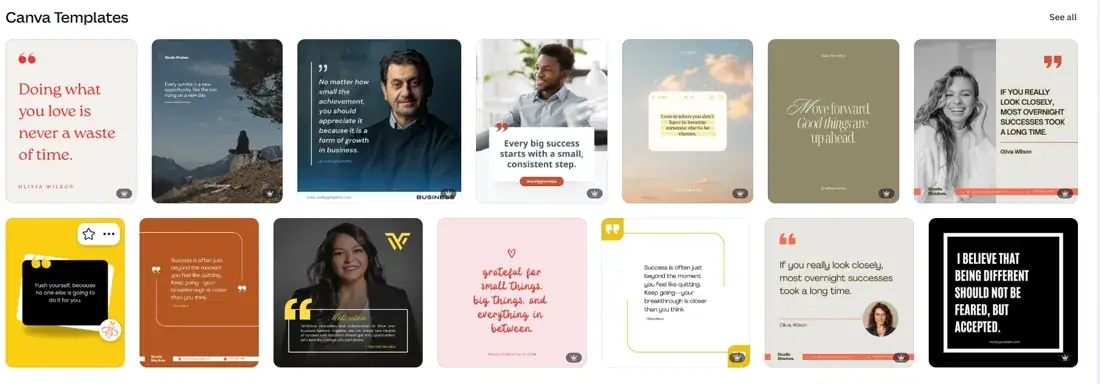
Canva is one of the most versatile quote image makers for Instagram. Its quote templates give you a starting point, and you can change the text, fonts, colors, backgrounds and other design elements. You can choose from minimalist quote cards, motivational designs, business quotes and Instagram Story layouts, and build a reusable style for your account.
Pros
- Large collection of quote and Instagram templates.
- Lots of control over text, fonts and colors.
- Works for posts, Stories and other social formats.
- Useful for building a consistent visual identity.
Cons
- You usually need to bring or write the quote yourself.
- Choosing and customizing designs takes time.
- Some templates and design assets need a paid plan.
Our verdict: Canva is a strong choice when design freedom matters more than automatic content creation. It suits creators who enjoy designing their own posts.
Website: canva.com/templates/s/quote
2. Maxolot: Best All-in-One AI Quote Post Generator for Businesses
Best for: small businesses, entrepreneurs, coaches and brands that want ready-to-publish quote posts without designing each one.
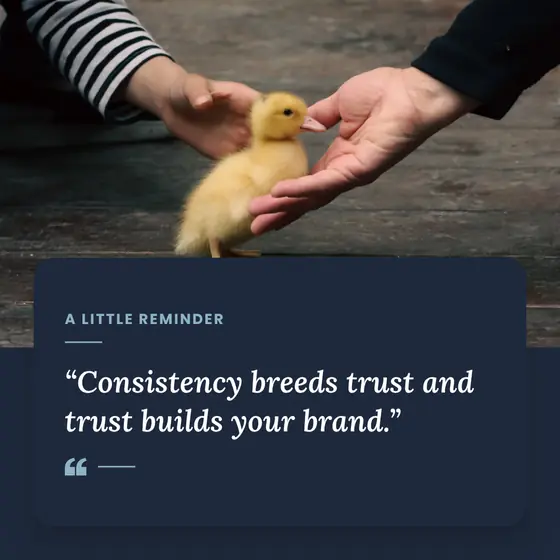
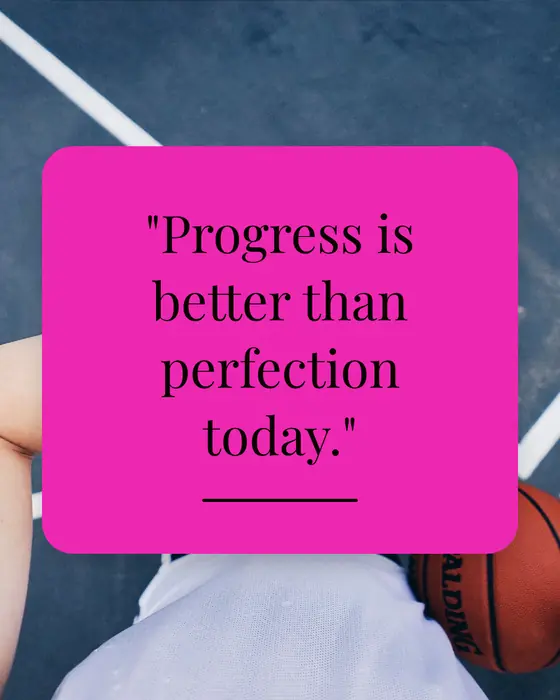
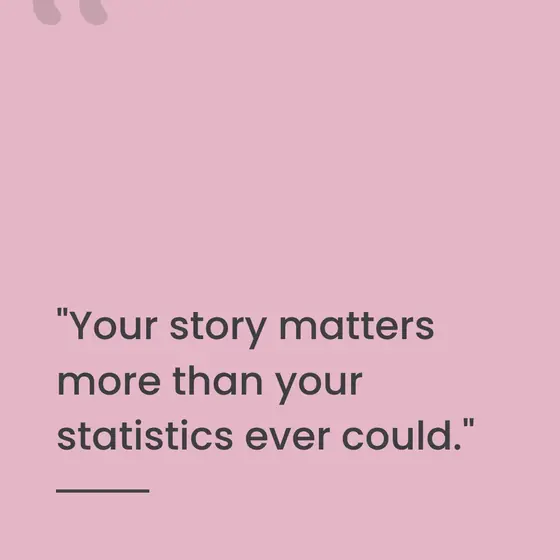
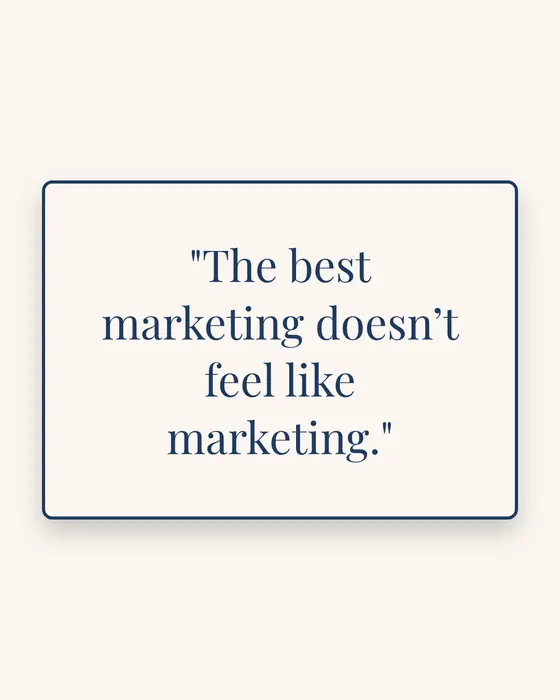
Maxolot is the all-in-one option: it writes the quote, picks the picture, designs the post, writes the caption and posts it to Instagram. Most quote makers start with a quote you already have. Maxolot works the other way round: describe your business, choose a mood and get a finished quote post made for your business. The quote writing and the design happen in one step, so you never start from a blank canvas.
How Maxolot creates Instagram quote posts
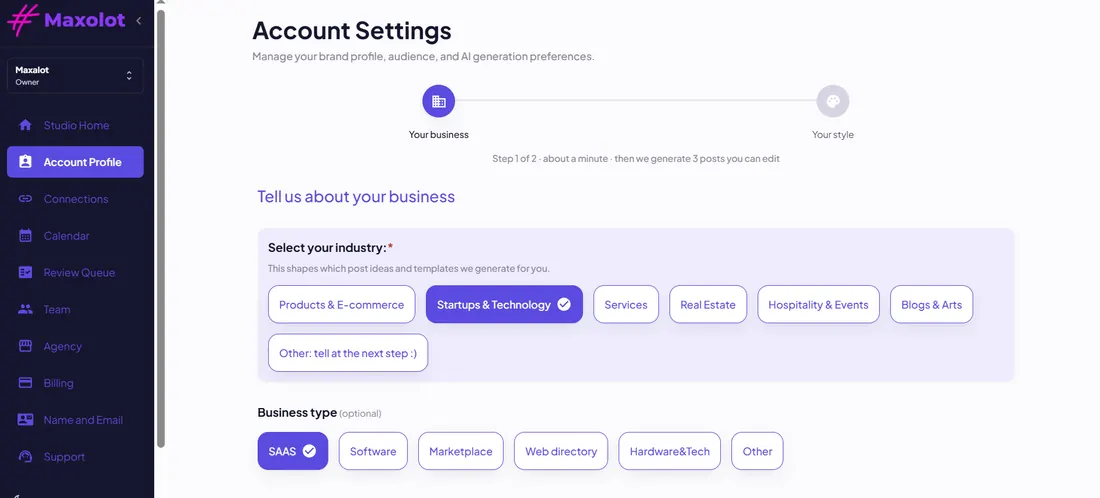 1
Describe your business
Tell Maxolot what your business does and who your customers are. You do this once.
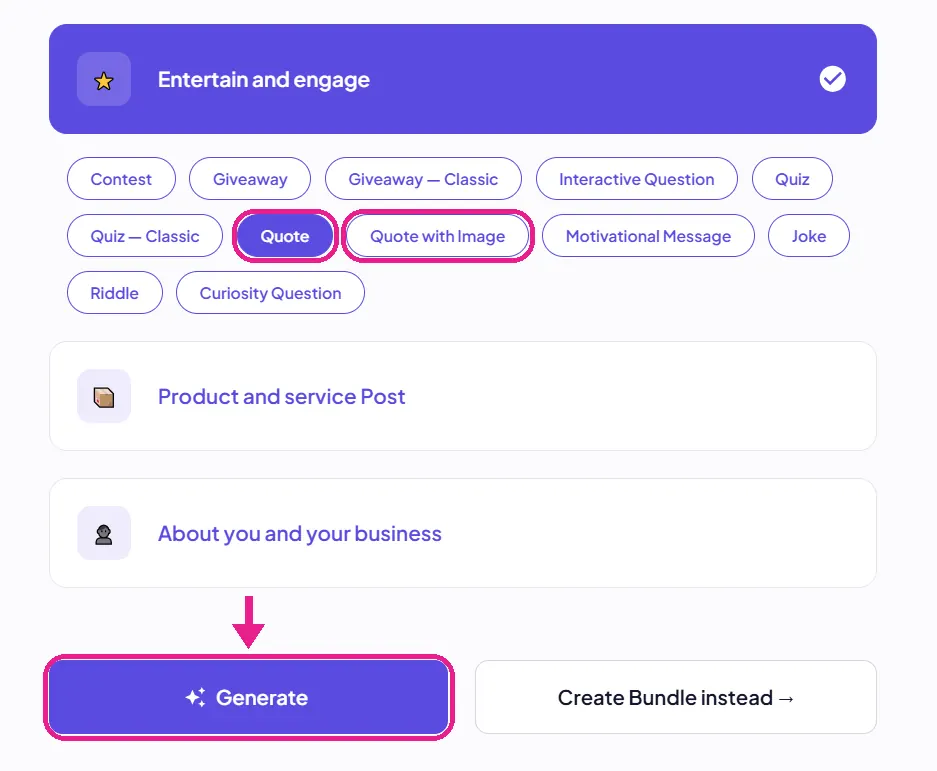 2
Choose your style and mood
Pick a design theme in your brand colors, then choose Quote or Quote with Image: inspirational or motivational.
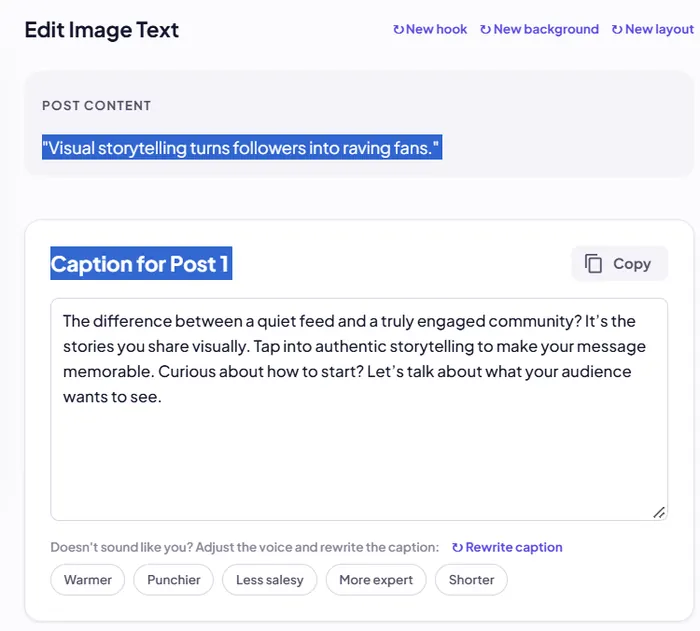 3
Generate your quote post
Maxolot writes the quote, picks a matching picture, designs the post and writes the caption.
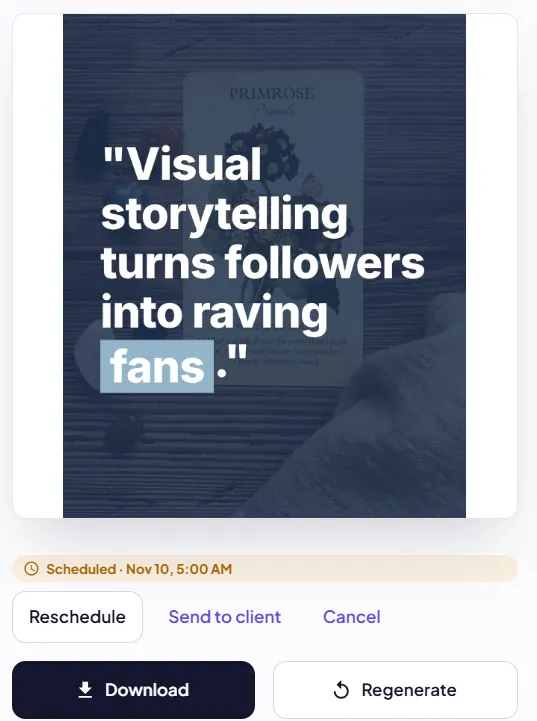 4
Post, schedule or download
Review it, change anything you like, then post it to Instagram, schedule it or download it.
Your first quote post is ready about 30 seconds after setup.
What makes Maxolot different?
- AI quote writing. It writes the quote, so you don’t have to hunt for one.
- Made for your business. Your business description shapes every quote.
- Two moods. Inspirational and motivational quotes for your audience.
- Quotes with pictures or text posts. A matching photo, or a clean text post, in 12 design themes.
- Caption included. Rewrite it warmer, punchier or shorter in one click.
- 10 free posts. No credit card required.
- No watermark. Even free posts download clean.
Maxolot is part of a wider Instagram content platform, so you can also make single-image posts, text posts and carousels.
One limitation to know: Maxolot uses 12 themes rather than a blank canvas, and makes Instagram feed sizes (square and portrait). If you want to design every detail or need Story sizes, Canva gives you more control.
Our verdict: Maxolot is worth trying if your real problem isn’t designing a quote image, but coming up with business-relevant quotes week after week and turning them into finished Instagram posts.
Or read more about the Maxolot Instagram quote generator.
3. Adobe Express: Best for Professional-Looking Quote Graphics
Best for: businesses and creators who want polished graphics and a broader design toolkit.
Adobe Express offers templates, fonts, stock assets and editing tools, so you can make attractive quote graphics without a complex professional design app. Start with a template, add your quote, adjust the typography and size it for Instagram. Its social tools make it useful if you create other types of content too.
Pros
- Professional templates and design tools.
- Large font and asset libraries.
- Supports branded visual content.
- Free plan lets you schedule posts to one account per social network.
Cons
- It’s a design tool first, not an AI quote-writing workflow.
- You still decide which quote to publish.
- Some premium assets and features need a subscription.
Our verdict: Adobe Express is worth a look if you already use Adobe products or want more control over how your Instagram graphics look.
Website: adobe.com/express
4. Picsart: Best for Creative, Photo-Based Quote Posts
Best for: creators who want quote graphics with photos, stickers and visual effects.
Picsart’s quote poster maker lets you combine text with backgrounds and images. Pick a template, customize the quote and use its editing tools to make a more distinctive visual. It’s especially useful when you want the quote over a photograph rather than a plain colored background.
Pros
- Ready-made quote poster templates.
- Upload and use your own photos.
- Customizable fonts, text and visual elements.
- Export as JPG, PNG or PDF.
Cons
- You need to provide the quote or find the words yourself.
- More customization can mean more time designing.
- Some premium templates and AI tools need a subscription.
Our verdict: Picsart is a good option for visual people who like to experiment with photos, typography and effects.
Website: picsart.com/quote-poster-maker
5. Quotes Creator: Best for Making Quote Images on Mobile
Best for: people who want a dedicated phone app for quote graphics.
Quotes Creator is a phone app (iPhone and Android) built for turning quotes, messages and captions into shareable images. Write your own quote or browse inspirational and motivational ones, pick a background and customize the typography. The app also lets you add logos, text watermarks and QR codes.
Pros
- Dedicated quote-image workflow.
- Built-in backgrounds and support for your own photos.
- Custom fonts, colors, spacing and text effects.
- Logo and watermark options.
- Image and PDF exports.
Cons
- Mainly a mobile workflow.
- You still choose or write the content.
- Some features are in-app purchases.
Our verdict: Quotes Creator is a practical pick for mobile users who want quote graphics with their own branding.
Website: apps.apple.com/us/app/quotes-creator-quote-maker/id895331100
6. Quozio: Best for Simple Quote Images, Fast
Best for: anyone who already has a quote and wants to turn it into a shareable image.
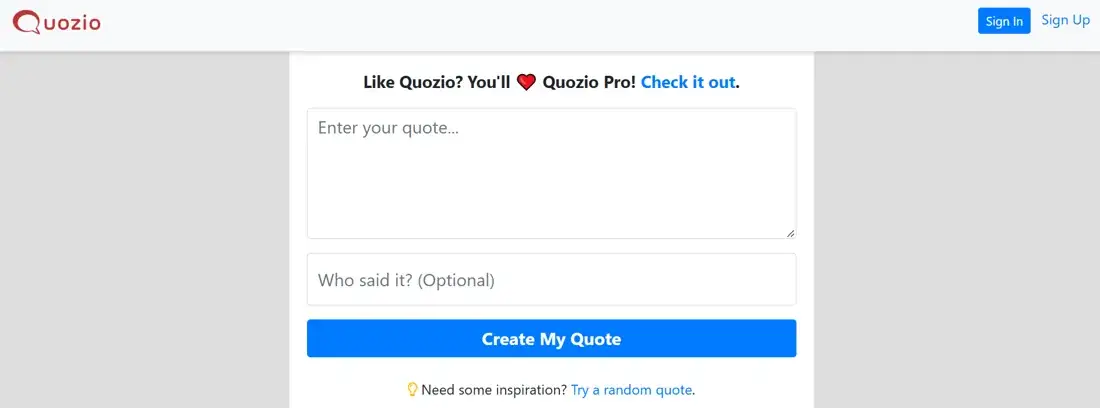
Quozio is a free online quote maker that keeps it simple. Enter a quote and its author, then choose from designs it generates for you. There’s no complicated editor to learn. It’s handy for turning an existing inspirational quote or thought into a visual card.
Pros
- Simple online quote creation.
- Generates several design options for you.
- Nothing to install.
- Free to use, with no account needed to start.
Cons
- Not built for writing original quotes for a business.
- Less design control than a full design platform.
- More designs and extra features are in Quozio Pro, a paid upgrade.
Our verdict: Quozio is a convenient option when speed and simplicity matter more than advanced customization.
Website: quozio.com
Which Instagram Quote Generator Should You Choose?
The best tool depends on how you like to create content.
| Your main need | Recommended tool |
|---|---|
| Maximum design flexibility | Canva |
| All-in-one: quote, image, caption and posting | Maxolot |
| Professional branded graphics | Adobe Express |
| Photo-based quote designs | Picsart |
| Quote images on your phone | Quotes Creator |
| Quick quote cards | Quozio |
If you already have your quotes and enjoy designing, Canva or Adobe Express may suit you better. If you want quotes over photos with creative effects, Picsart is worth exploring. But if you run a business and want quote ideas and finished Instagram posts from a short description of your business, Maxolot does more of the work for you.
What Makes a Good Instagram Quote Post?
- Keep the quote readable. Don’t put too much text on one image. Use clear type and strong contrast between the text and the background.
- Match the quote to your audience. A motivational quote for a fitness coach should feel different from a business insight shared by a marketing agency.
- Keep your look consistent. Use the same colors, fonts and design style so followers recognize your posts.
- Add context in the caption. Don’t just repeat the quote. Say what it means to you, share an example or ask your audience a question.
- Check who said it. If you use a quote from a real person, check the wording and the author before you post. Never put a famous person’s name on an AI generated quote.
Frequently Asked Questions
What is the best free Instagram quote generator?
Canva, Adobe Express, Picsart and Quozio all let you start making quote graphics for free, with some features and assets held back for paid plans. Maxolot gives you 10 free AI generated quote posts with no credit card and no watermark.
Is there an AI quote generator for Instagram?
Yes. Maxolot writes quotes for your business and turns them into designed quote posts with a caption. It’s useful when you want both the words and the image, not a design built around a quote you already have.
Can I create Instagram quote posts without design skills?
Yes. Maxolot and Quozio do most of the design for you. Canva, Adobe Express and Picsart give you templates that make quote graphics easier.
What size should an Instagram quote post be?
Portrait 4:5, 1080 × 1350 pixels, works well for feed posts. Square 1080 × 1080 works too. For Stories, use a vertical 9:16 format.
Can I use AI generated quotes for my business?
Yes, as long as you review them first. Check that the wording fits your brand and never attribute an AI generated quote to a real person.
Which quote generator is best for businesses?
Canva and Adobe Express are strong if you want to design by hand. Maxolot suits businesses that want AI to write the quote and create the post from a short business description.
What is the best AI quote generator for Instagram in 2026?
For businesses, Maxolot: it writes AI generated quotes from your business description and turns them into quotes with pictures, with a caption. For full manual design control, Canva is the stronger pick.
Is there a free Instagram quote maker with no watermark?
Yes. Maxolot’s 10 free posts download without a watermark, and Quozio is free to start. Canva, Adobe Express and Picsart have free plans, with some templates and assets reserved for paid plans.
Can a quote generator post to Instagram for me?
Some can. Adobe Express can schedule posts on its free plan, and Maxolot lets you post your quote post to Instagram or schedule it straight from the app.
Final Verdict: Which Quote Generator Is Right for You?
There’s no single best Instagram quote generator for everyone.
- Choose Canva if you want creative freedom.
- Choose Maxolot if you want an all-in-one tool that writes business quotes and creates the finished Instagram post.
- Choose Adobe Express if you want professional design tools.
- Choose Picsart if photos and visual effects matter most.
- Choose Quotes Creator if you like making quote images on your phone.
- Choose Quozio if you want to turn existing quotes into simple graphics.
If you own a business and want to post quotes regularly without starting from a blank design every time, try Maxolot’s 10 free posts and see what it makes for your business.